
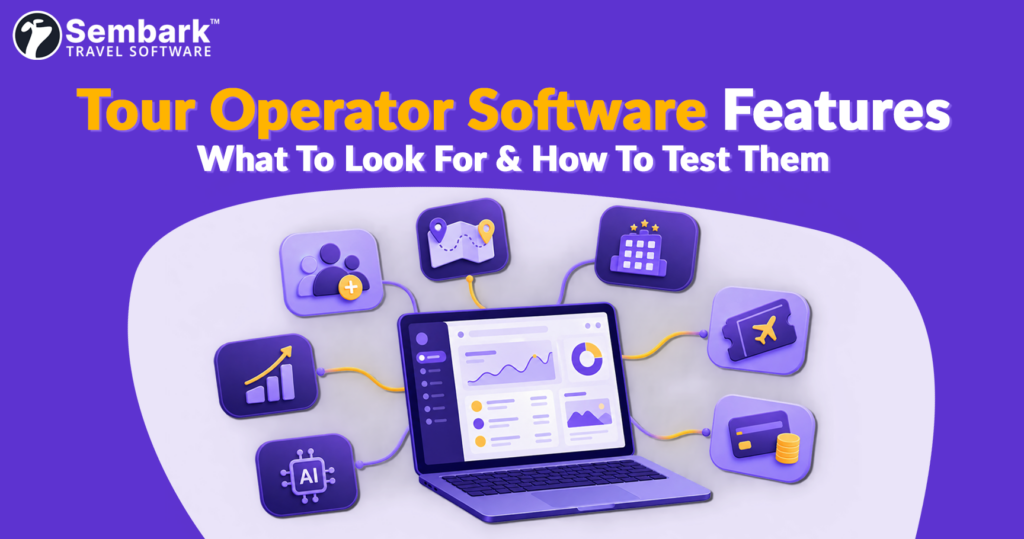
Tour operator software is a system that runs a trip from first enquiry to final payment: lead capture, itinerary costing, supplier contracts, bookings, vouchers and ledgers.
This guide covers the tour operator software features that matter for inbound, outbound and DMC teams, how to prioritise them, and one question to test each feature in a demo. For pricing, ROI and the full buying process, see our guide on how to choose the right tour operator software.
Quick Answer: What Are the Must-Have Tour Operator Software Features?
Good tour operator software should include these eight features:
- Lead management: Captures enquiries from every channel, assigns them to the right salesperson, tracks pipeline stages and sends follow-up reminders.
- Itinerary builder and quotations: Builds branded quotations from your saved rates, with component-wise costing, markups and taxes applied automatically.
- Supplier rate management: Stores contracted rates in one place, with seasonal pricing, validity and blackout dates.
- Multi-currency and tax handling: Quotes in multiple currencies and applies country-specific taxes, including GST and TCS for Indian operators.
- Booking, vouchers and operations: Converts quotations into bookings, generates vouchers and shows every tour on a shared calendar.
- Payment tracking and supplier ledgers: Shows receivables, payables and trip margin per trip, and issues proforma invoices.
- Reporting, user roles and integrations: Real-time reports, role-based permissions, and an API for your website, payment gateway and accounting software.
- AI features: Turns enquiry emails into leads, imports supplier quotations and drafts priced itineraries from your own contracted rates.
Not every item carries the same weight. Which ones should you insist on, and which can wait?
Why a Feature List Isn’t Enough
As Peter Drucker wrote in “Managing for Business Effectiveness” (Harvard Business Review, 1963), “There is surely nothing quite so useless as doing with great efficiency what should not be done at all.”
So keep that line in mind when you picture this: You are three demos into your search for tour operator software. Every vendor has shown you a polished dashboard and a long feature list. Everything looked useful.
How to Sort Features Before You Take a Demo
A feature that saves one tour operator ten hours a week may never be opened by another. So sort every feature you see into four buckets:
- Must-have from day one. If it stopped tomorrow, would enquiries, quotes, bookings, or payments stall?
- Good to have as you grow. Will you need it in the near future?
- Nice to have. Is there a simple workaround your team already uses?
- Looks great in a demo, matters less. Can you name who would use it regularly? If not, it should not sway your decision.
Keep a four-column note open during each demo. After three vendors, you will have a comparison no brochure can give you.
Tour Operator Software Features at a Glance
| Feature | Why it matters | Priority | Demo test |
| Lead management | Slow responses lose bookings | Must-have | Send a WhatsApp enquiry; see where it lands |
| Itinerary builder and quotations | Quote speed wins deals | Must-have | Convert a partner quote; time it |
| Supplier rate management | Wrong rates erode margin | Must-have | Change a seasonal rate; check the next quote |
| Multi-currency and tax handling | Multi-country trips need correct FX and tax | Must-have for outbound; grow-into for inbound | Quote one trip in two currencies |
| Booking, vouchers and operations | Re-entry causes errors | Must-have | Confirm, voucher, amend one guest |
| Payment tracking and supplier ledgers | Hidden dues hide real margin | Must-have | Show advance received plus supplier pending |
| Reporting, user roles and integrations | Visibility and control as you scale | Good to have as you grow | Sales by salesperson and destination |
| AI features | Saves repetitive work if it uses your data | Nice to have; depends on data source | Generate an itinerary from your rates |
Let’s start where every booking starts.
What Lead Management Features Should Tour Operator Software Have?
A traveller messages you on WhatsApp at 11 pm. Another submits your website form. A partner emails a request. Where do these enquiries go?
If they land in different places, leads can slip through the cracks. And when responses are delayed, potential bookings can be lost.
A study by Oldroyd, McElheran and Elkington, “The Short Life of Online Sales Leads” (Harvard Business Review, 2011), found that firms contacting leads within an hour were nearly seven times as likely to qualify them as firms that waited even one hour longer.
What to look for:
- Automated lead capture from every channel
- Automatic lead distribution that assigns each enquiry to the right salesperson
- Follow-up reminders so no lead goes quiet
- Pipeline stages from enquiry to quotation sent to confirmed or lost
- Source-wise reporting so you know which channel actually converts
- Click-to-call and call logging, so phone enquiries enter the same pipeline
Ask in the demo: “Send a test enquiry through WhatsApp. Show me where it lands and who gets it.”
See how Sembark’s lead management handles this. Talk To Our Expert
Once an enquiry is captured, the next job is getting a quote out.
What Should an Itinerary Builder and Quotation Tool Include?
How long does your team take to quote a package you have sold a dozen times? If it takes as long as a first-time enquiry, something is off.
Quotation speed can influence which operator wins the booking. A solid itinerary builder costs hotels, transfers, sightseeing, and guides component by component, applies markups and taxes, and produces a branded quotation. For group tours (GITs, fixed-itinerary packages usually for 10 or more travellers), it should also recalculate the per-person price and free-of-cost (FOC) places whenever the headcount changes.
What to look for:
- Automated costing, markups, taxes, and branding
- Reuse saved itineraries and past quotations
- Convert partner quotations into your branded quotes without manual retyping
- Per-person group pricing that updates when the headcount changes
- FOC places calculated automatically
- Revisions tracked against the same quotation, so every version sent to the agent is logged
- Net-rate and white-label quotations for B2B agents
Ask in the demo: “Convert this partner quotation into my branded quote with my markup. Let me time it. Then build a group quotation and show me how the per-person price and FOC places change if the group size drops by five.”
A quotation is only as sound as the rates behind it.
How Should Tour Operator Software Manage Supplier Rates & Multi-Currency Pricing?
Where do your rates live? Your own contracted hotel rates and your DMC partners’ net rates may sit in separate spreadsheets, shared drives, or individual laptops. When teams work from different versions, pricing errors can eat into your margins.
Raymond Panko of the University of Hawaii, in “Spreadsheet Errors: What We Know. What We Think We Can Do,” reported errors in at least 86% of business spreadsheets examined in field audits. The study wasn’t specific to travel, but the risk applies to rate sheets too.
What to look for:
- Centralised supplier rates with bulk updates
- Seasonal and weekday pricing
- Validity and blackout dates
- Controlled editing permissions
Multi-Currency and Tax Handling
Outbound and multi-country trips mix currencies and tax rules in a single quotation. Indian outbound operators must also apply GST and collect TCS on overseas tour packages, so check that both are calculated on the quotation and invoice, not added manually later.
- Multi-currency costing with controlled exchange rates
- Sell in one currency while buying in another
- Country-specific taxes for multi-country itineraries
- GST and TCS calculated automatically on quotations and invoices
Ask in the demo: “Change a seasonal rate and its validity dates. Does the next quotation reflect the update without changing existing quotations?”
With pricing in order, the traveller says yes. What happens to your data next?
What Booking and Operations Features Do Tour Operators Need?
The handover from sales to operations is a common weak point. When a confirmed quotation must be re-entered as a booking, pickup times and room categories can get missed.
What to look for:
- Quote-to-booking conversion without re-entry
- Supplier confirmation tracking for each service
- Vouchers generated directly from trip data
- Allotment and release period tracking
- Rooming lists, shared trip calendars, and tour movement charts
- Check-in/check-out reports and amendment and cancellation logs
- Per-person pricing for adults and children, with complimentary travellers accounted for
- A mobile web-app so operations staff can check bookings on the move
For group tours, check one more thing: when a guest or service changes, can your team track the impact across rooms, transport, pricing, and supplier deadlines?
Ask in the demo: “Confirm this booking, generate a hotel voucher, then amend one guest’s details. What updates automatically, and who sees it?”
Once the trip is booked, the money starts moving in two directions.
Which Payment Tracking and Supplier Ledger Features Matter?
Can you see, right now, what each customer owes you and what you owe each supplier, trip by trip? If that requires spreadsheets and phone calls, your financial picture is incomplete.
When customer payments and supplier costs follow different schedules, your actual trip margin can remain unclear until accounts are reconciled.
What to look for:
- Customer receivables and supplier payables tracked per trip, with due dates
- Automatic overdue payment reminders and instant proforma invoice generation
- Supplier ledgers and outstanding customer payment tracking
- Trip-level profit margins visible before departure
Ask in the demo: “Show me a trip with a customer advance received and a supplier payment pending. Where can I see both balances and the trip margin?”
Once daily finances are under control, you will want to see the whole business at a glance.
Reporting, User Roles and Integrations: What to Check
If a senior operations manager left tomorrow, which trips could someone else pick up without asking them a dozen questions? Your reports should give you a clear view of business performance, while the right access controls and integrations keep teams connected.
What to look for:
- Reporting: Lead source conversion, salesperson-wise sales, destination-wise revenue, pipeline value, and outstanding receivables and payables.
- User roles: Assign view, edit, and management permissions by role; structure teams by location or destination, and track user activity for accountability.
- Integrations: Connections to website forms, WhatsApp, payment gateways, and accounting software, plus API availability.
Ask in the demo: “Can I view sales performance by salesperson and destination, assign different permissions to team members, and track who changed what? Also ask about data migration from your current spreadsheets, onboarding time and support hours.”
Check integration capabilities and limitations before signing, not after implementation.
Every vendor has one more feature to show you: AI.
AI Features: What Is Useful and What Is Hype?
Is AI in tour operator software a genuine time-saver, or just another feature vendors use to justify a higher price?
It depends on what the AI actually does. The practical applications include converting partner quotations into your own format, generating itineraries based on trip requirements and budget, and turning enquiry emails into leads automatically.
The key question is: what information does the AI work with? AI that uses your contracted rates, inventory, and past itineraries can generate more relevant, accurately costed itineraries. AI that relies on generic information may leave your team with significant manual work.
What to look for:
- Turns enquiry emails into leads automatically
- Imports a partner’s or supplier’s quotation and converts it into an editable quotation in your own branded format
- Drafts a priced itinerary from the traveller’s requirements, using your saved rates and inventory
Ask in the demo: “Generate an itinerary using our actual rates and inventory. Show me how I can verify the costing and edit the quotation before sending it.”
AI should reduce manual work, not introduce unchecked errors. Always verify generated itineraries, rates, and calculations before sharing a quotation with a customer.
Ultimately, the right features depend on how your travel business operates.
Which Tour Operator Software Features Matter Most for Your Business Type?
Remember the four buckets? Where a feature lands depends on the trips you run. Here is what each type of tour operator may need to check most closely.
Inbound tour operators are the local businesses that host visitors from other countries, delivering some or all of the land arrangements. If that describes your business, look for:
- Contracted and seasonal rates, with validity and blackout dates
- Allotment and release-date tracking, if you hold blocked hotel rooms
- Net-rate quotations that your agents and outbound partners can mark up
- Vouchers and service orders generated from confirmed trip data
Outbound tour operators package and sell international trips to customers in their home country, often built on ground services and rates supplied by inbound partners such as DMCs and ground operators. Look for:
- Partner quotations that convert into your own quotation without retyping
- Multi-currency costing, since partner and supplier rates may arrive in a different currency from the one you sell in
- Markup control, because margin can be added at more than one stage
- Commission tracking for the agents who sell your packages
- GST and TCS handling on overseas packages
Operating both inbound and outbound? Some companies do. If that is you, check whether both kinds of trip can sit in a single pipeline, with enquiries, payments, and margin visible side by side and check that inbound and outbound trips can use different tax and currency settings.
So where does Sembark fit into all this?
How Sembark Handles These Features
Sembark is tour operator software shaped by years of real inbound, outbound, and mixed workflows. Here is how it answers each problem we covered.
| The Problem | Sembark Solution | How It Solves It |
| Scattered Leads | Lead Management | Auto-capture leads automatically from Meta Ads, Google Ads, chatbots, and your website through the Lead API. Auto distributes & assigns each lead by rules or round-robin and sends three-stage follow-up reminders. |
| Click-to-Call & Call Tracking | Turns every incoming call into a lead in the same pipeline, with the recording logged. Your team can call customers back in one click. | |
| Slow Quotations | Smart Itinerary Builder | Builds a complete itinerary in under 60 seconds using Auto-Tour Costing, component-wise markups and taxes, and four pricing strategies. Shows your profit before you send, supports FOC, and logs every amendment. |
| Retyping Partner & Supplier Quotations | AI Itinerary Importer | Reads a supplier package from a PDF, Word file, image, or pasted text and builds an editable quotation, with your branding and the details already filled in. |
| Rates In Spreadsheets | Smart Price Handling | Stores supplier contracts with season-wise and weekday rates and automatically picks the right rate for the travel date. |
| Bulk Upload, Edit & Delete | Adds, updates, or deletes rates and supplier data in bulk, with access controlled by role or department. | |
| Gaps Between Sales & operations | Smart Tour Calendar | Shows every upcoming tour, task, and team activity in one colour-coded view, synced automatically with the booking. |
| Vouchers and Reports | Generates Trip, Hotel, and Activity Vouchers instantly from trip details. Check-in / Check-out Reports track guests by service, date range, or supplier. | |
| Unclear Receivables & Payables | Real-Time Payment Tracking | Shows what each customer owes and what you owe each supplier, per trip, with three-stage auto-reminders. |
| Invoices, Ledger, and Payments | Generates Proforma Invoices instantly. The Suppliers Ledger shows real-time supplier balances. Payments by Sembark collects payments through pay-ready quotation links. | |
| No Business Overview | Real-Time Reports | Cover leads, sales, follow-ups, conversions, and revenue in one place. |
| User Management & Roles | Sets permissions for sales, operations, and finance, with revocable access per user. | |
| Generic AI | AI Email Reader | Connects to your sales mailbox, sets promotional emails aside, and turns real enquiries into leads assigned to the right team member within 2 minutes. |
| AI Itinerary Builder | Take your trip purpose, tour basis, budget tier, and destination-nights and draft a priced itinerary from your own contracts and past itineraries, ready to review in under two minutes. |
See it with your own itinerary. Book a 30-minute demo and we’ll cost one of your recent trips live.
Sembark also ships updates every month.
Don’t take our word for it. Take the checklist below to any demo, including ours.
Final Feature Checklist
Each “no” is a job your team will still do by hand.
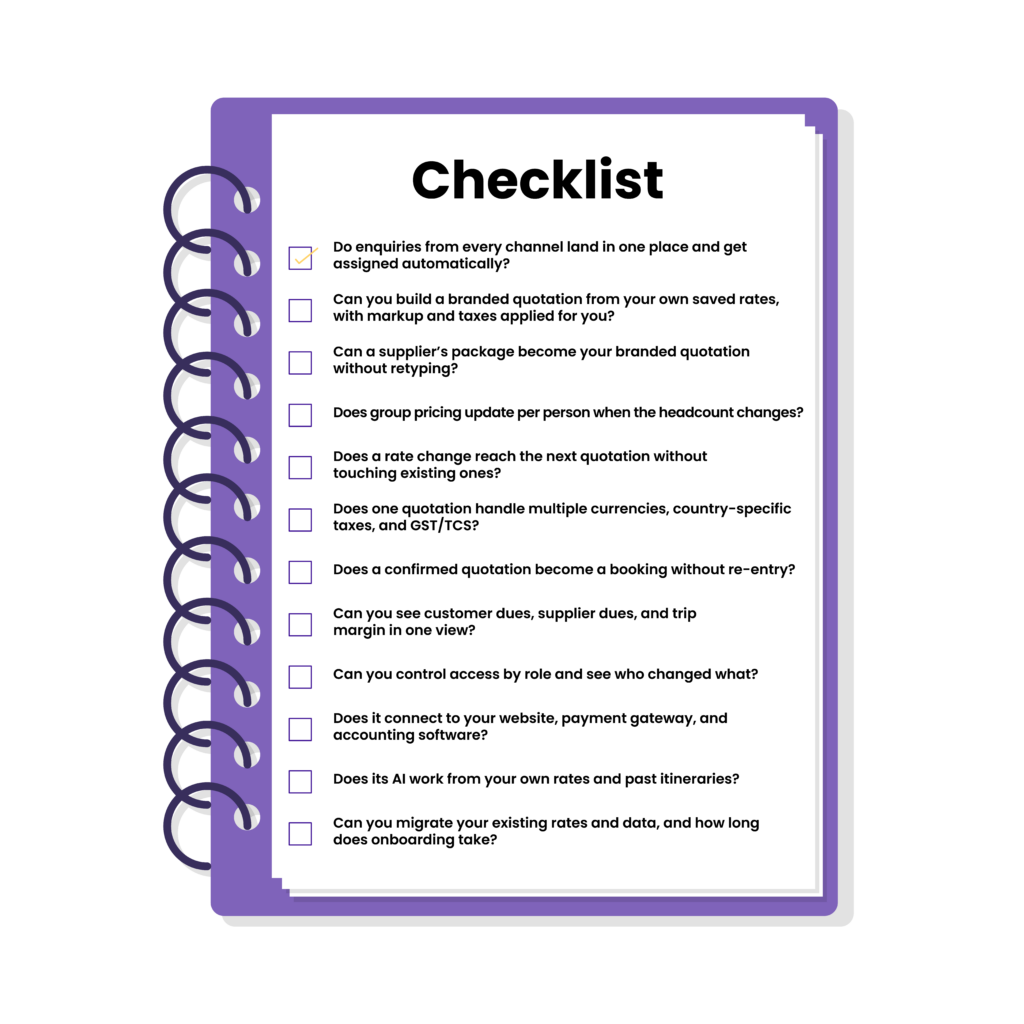
- Do enquiries from every channel land in one place and get assigned automatically?
- Can you build a branded quotation from your own saved rates, with markup and taxes applied for you?
- Can a supplier’s package become your branded quotation without retyping?
- Does group pricing update per person when the headcount changes?
- Does a rate change reach the next quotation without touching existing ones?
- Does one quotation handle multiple currencies, country-specific taxes, and GST/TCS?
- Does a confirmed quotation become a booking without re-entry?
- Can you see customer dues, supplier dues, and trip margin in one view?
- Can you control access by role and see who changed what?
- Does it connect to your website, payment gateway, and accounting software?
- Does its AI work from your own rates and past itineraries?
- Can you migrate your existing rates and data, and how long does onboarding take?
The best test is a live one. Bring one of your own recent itineraries and ask each vendor to run it end to end.
Conclusion
Remember the three demos from the start of this guide, and the question behind them: six months after you sign, which features will your team still be using every day?
Now you have the answer. The tour operator software features that last are the ones tied to work your team already does daily:: answering enquiries, costing itineraries, confirming suppliers, and chasing payments. Everything else can wait.
Peter Drucker’s warning holds either way. Efficiency only counts when it is applied to the right work. So sort every feature into your four buckets, bring one of your own recent itineraries, and ask each vendor to run it end to end. The software that carries your trip from the first enquiry to the final payment, without your team patching gaps by hand, is the one worth your money.
Want to see if Sembark does that for your trips? Request a 30-minute demo and bring your toughest itinerary.

FAQs About Tour Operator Software Features
What features should tour operator software have?
Strong tour operator software carries every trip from the first enquiry to the final payment. It should cover:
- Lead management
- Itinerary builder and costing
- Supplier rate management
- Multi-currency and tax handling
- Booking, vouchers, and operations
- Payment tracking and ledgers
- Reports, user roles, and integrations
- AI that works from your own data
Do I need AI features?
AI is worth having wherever it replaces repetitive work, such as turning enquiry emails into leads, converting a partner’s or supplier’s quotation into your own branded format, and drafting priced itineraries from trip requirements and budget. What makes it valuable is the data behind it. AI that works from your contracted rates, inventory, and past itineraries produces quotations that are closer to ready, while generic AI leaves your team with manual work. Whichever you choose, verify generated itineraries, rates, and calculations before sharing a quotation with a customer.
Can one software handle both inbound and outbound trips?
Yes, when the software supports both workflows in one place. Inbound operators look for contracted and seasonal rates, allotment and release-date tracking, net-rate quotations, and vouchers generated from confirmed trip data. Outbound operators look for partner quotations that convert without retyping, multi-currency costing, markup control, and commission tracking. If you run both, check that both kinds of trip sit in a single pipeline, with enquiries, payments, and margin visible side by side.
How is tour operator software different from a generic CRM?
A generic CRM usually stops at contacts, deals, and email tracking, with no itinerary builder, tour costing, or supplier ledger. Quoting, costing, and supplier payments then stay in spreadsheets. Tour operator software adds these workflows, from quote to booking to supplier payment.
Related Blog