





Add-On Solutions
Leads from Email, Without Typing - Powered by AI
AI Email Reader by Sembark reads every email, skips the promotional ones, and turns real enquiries into leads assigned to the right person within a minute without any human intervention. Nothing sits unread, nothing gets missed, nothing slips through.
A day in your office
The Challenges Travel Businesses Face
Enquiries lost in the inbox
Important emails get lost among spam, promotional emails, supplier emails, newsletters, and follow-ups.
Manual Reading Delays First Response
The first quote is delayed because someone has to manually read and process every email.
No visibility into enquiry status
Managers can't easily see which emails have been replied to, quoted, or are still pending.
How It Works
Let AI help you to manage your email inbox
- 1
Add Mailbox & Configure Parsing
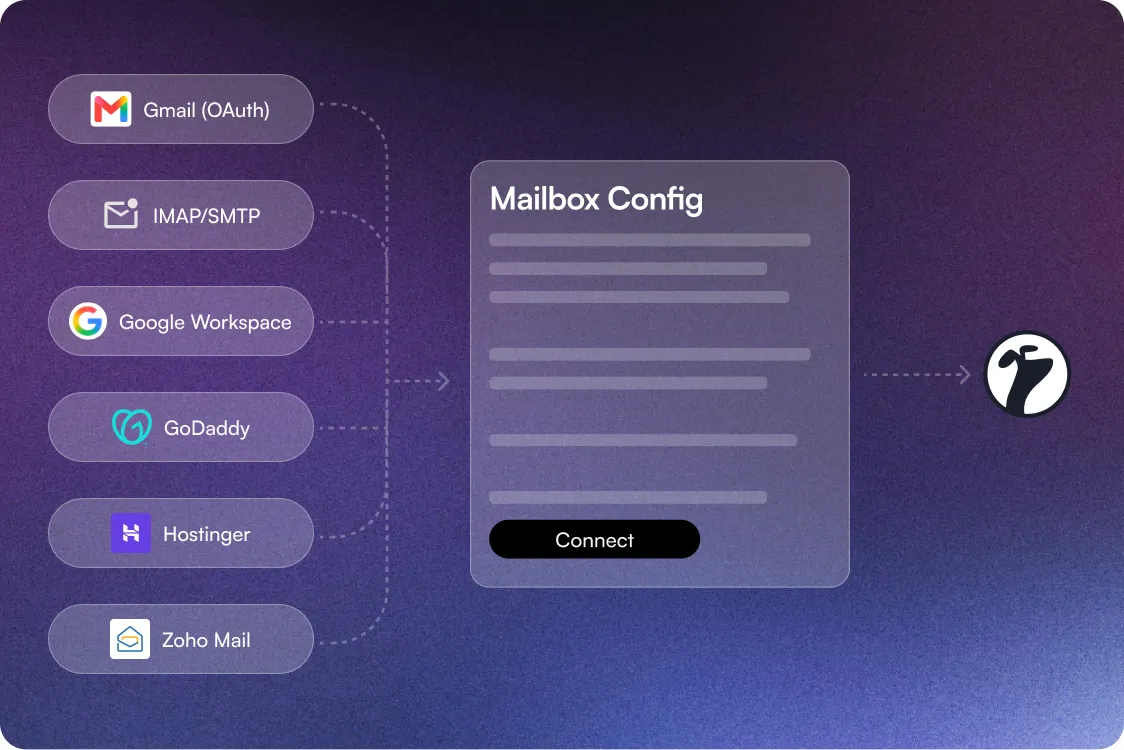
Add your mailbox via Gmail OAuth or IMAP/SMTP, using presets for Google Workspace, GoDaddy, Hostinger, & Zoho Mail.
- 2
AI Starts Reading & Extracting
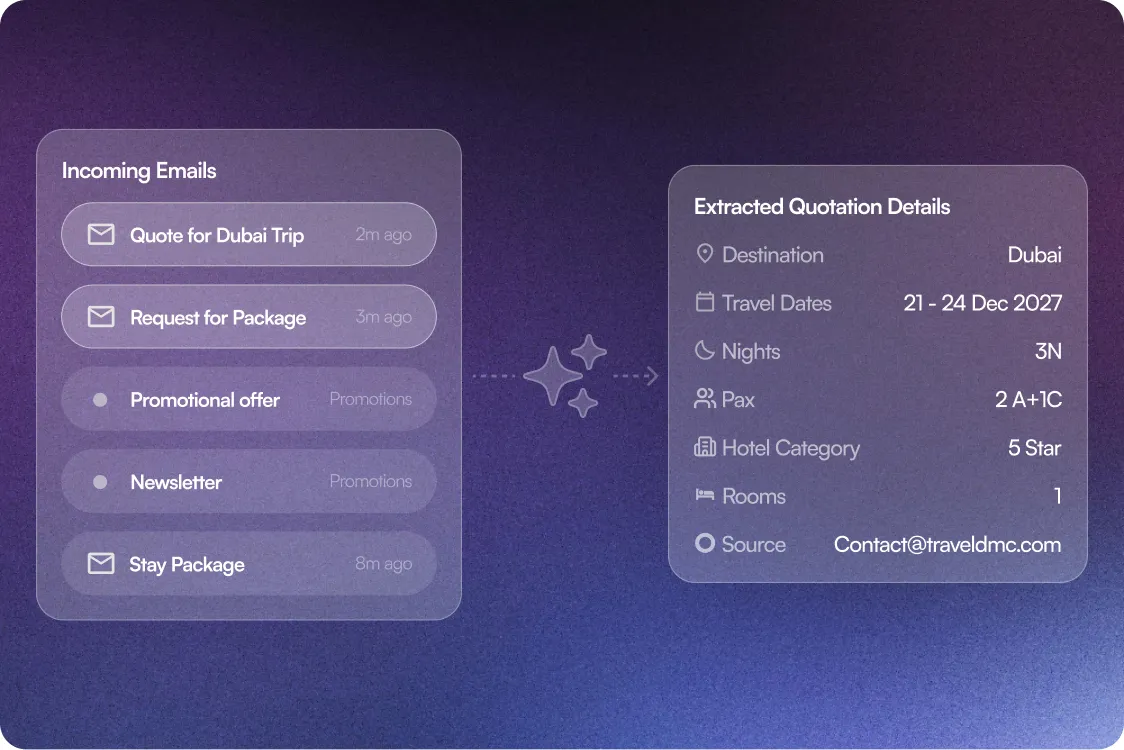
Every email is read the moment it lands. Promotions are set aside, and the quoting details are pulled out for you — no copying, no retyping.
- 3
Lead Created & Assigned
The extracted information is converted into a structured lead in your CRM & automatically assigned to the right sales consultant based on your predefined rules.
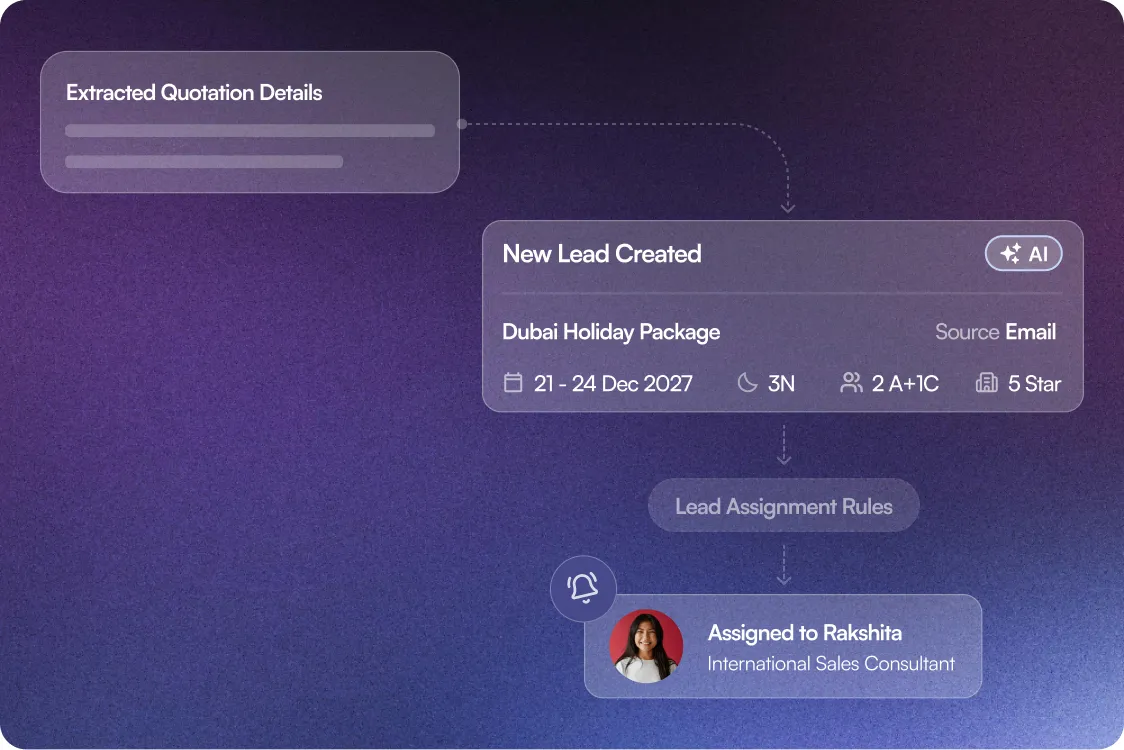
What Happens After You Switch
From Manual Inbox Work to Leads That Create Themselves
100%
e-mail lead response
0
missed follow-ups & lost leads
24x7
visibility of lead journey
3x
conversion chances
What powers AI Email Reader?
Features that turn every B2B Email into a tracked lead
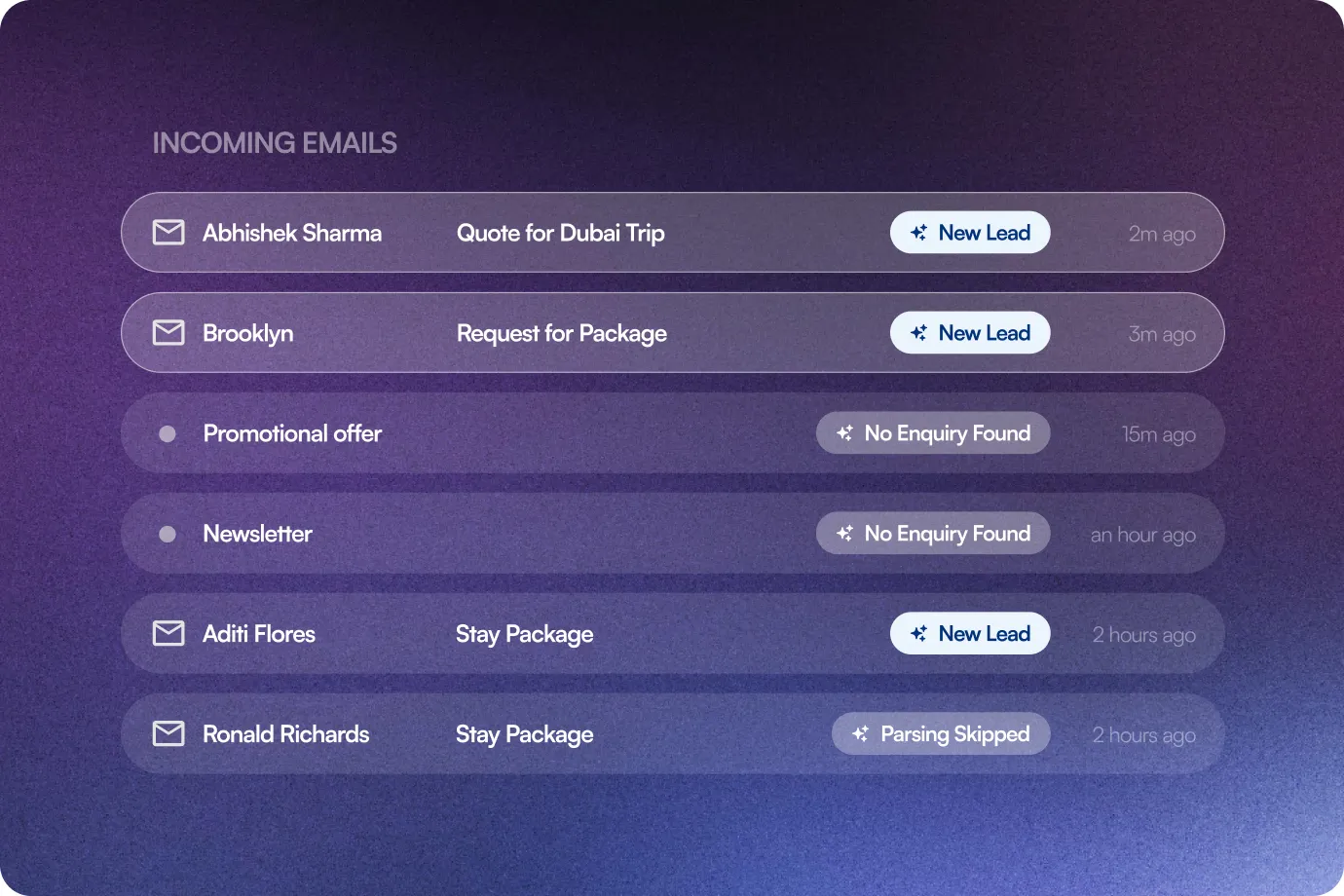
Lead Status tag
Every processed email is tagged Lead Created, No Enquiry Found, or Parsing Skipped, so you always have a real time update.
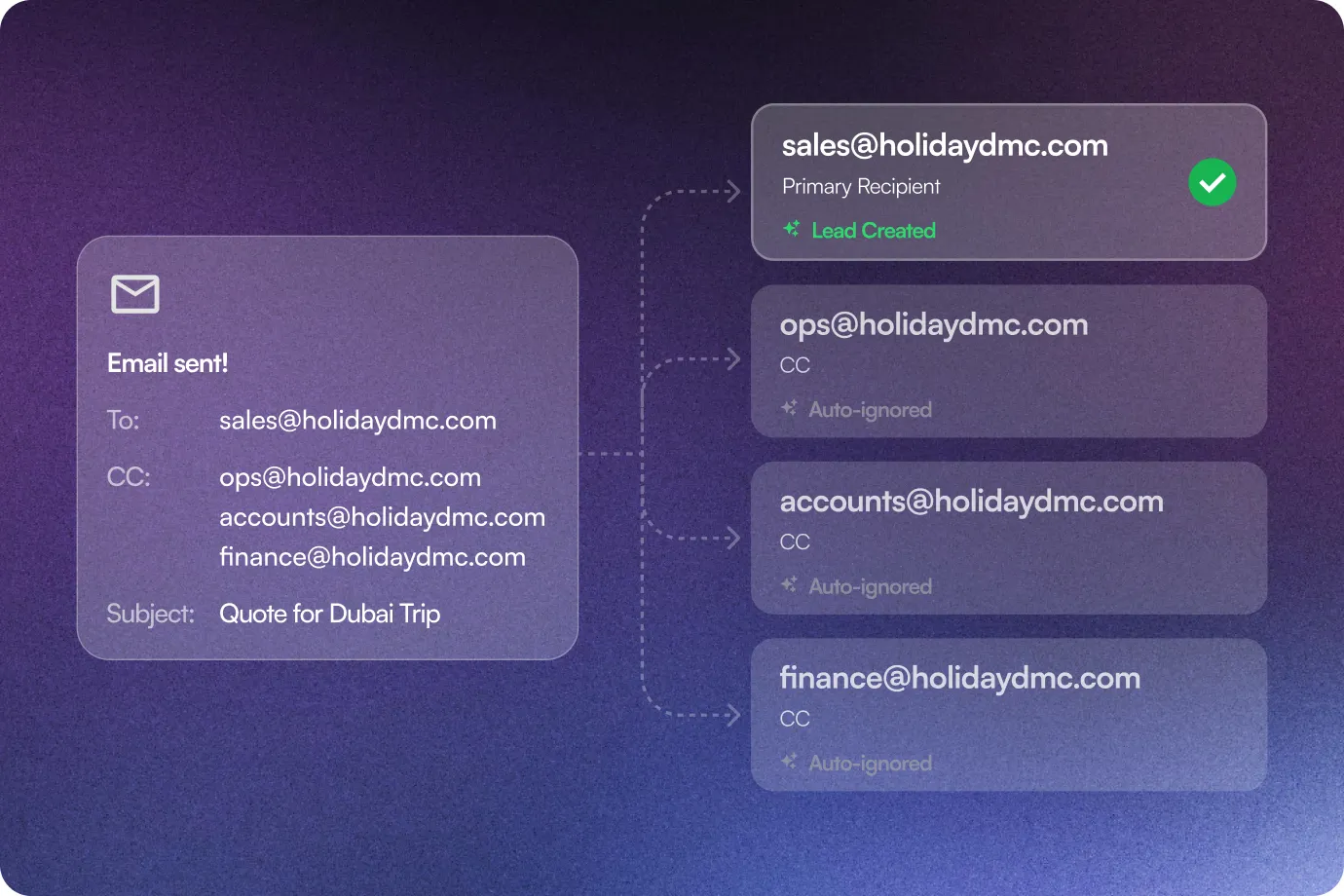
Smarter CC Handling
When an Enquiry email is CC'd to internal teammates, only the primary recipient creates a lead; internal CC recipients are auto-ignored.
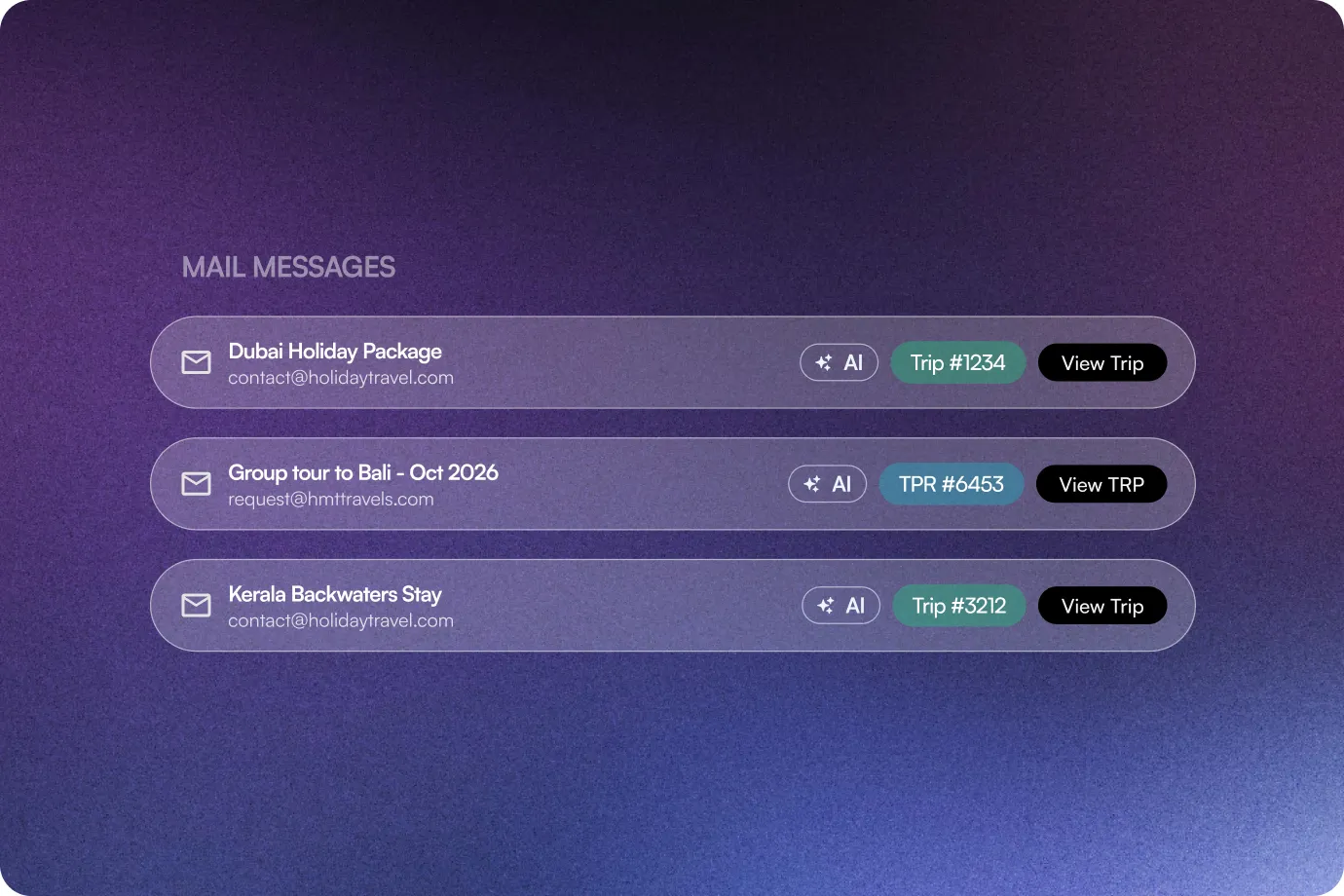
Direct Navigation to Leads & Trips
Every conversation entry links straight to its Lead or Trip page, so your team can jump from an email to the record without searching.
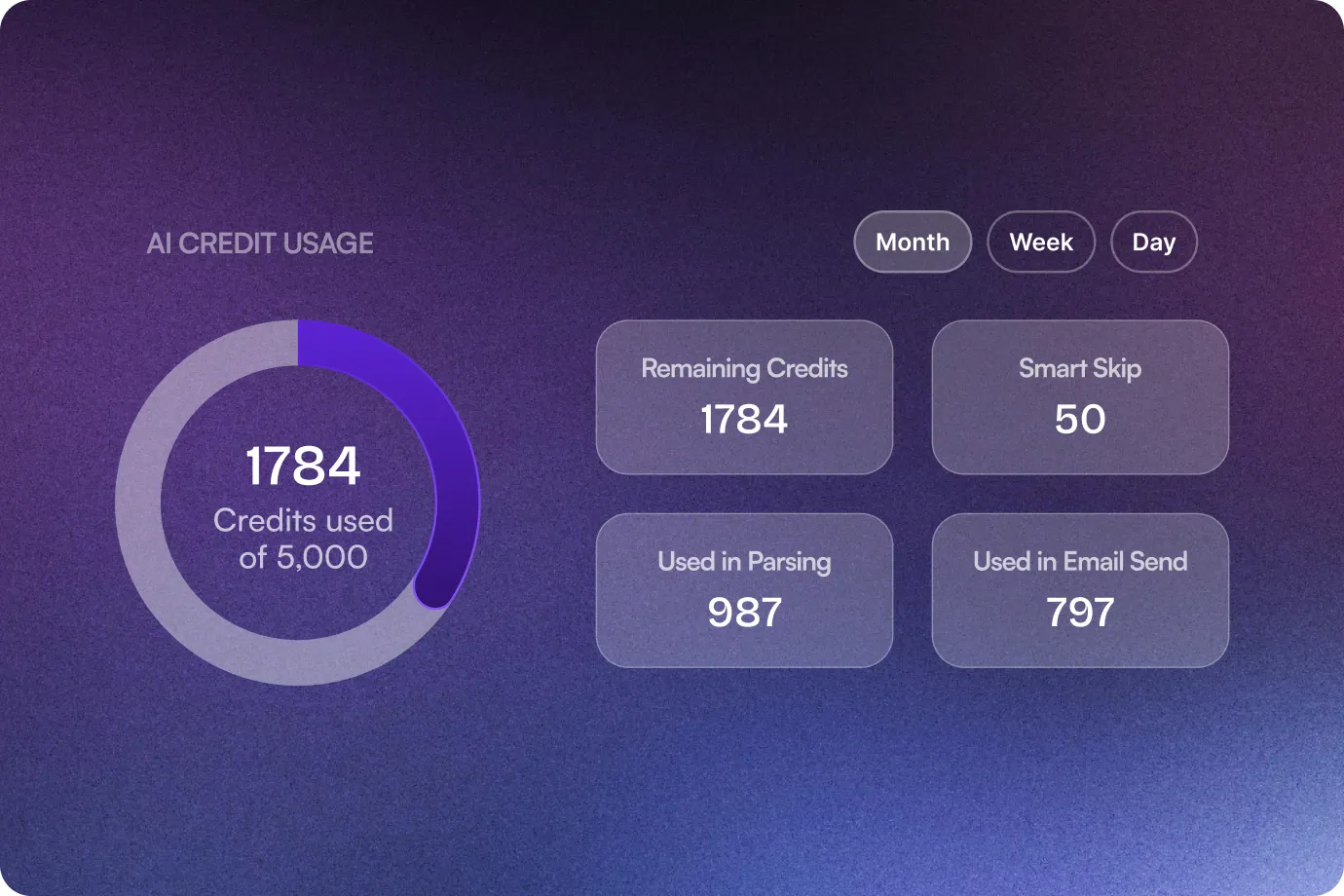
Parsing Usage Dashboard
A dedicated dashboard shows real-time AI parsing credits. With day, week, or month filters.
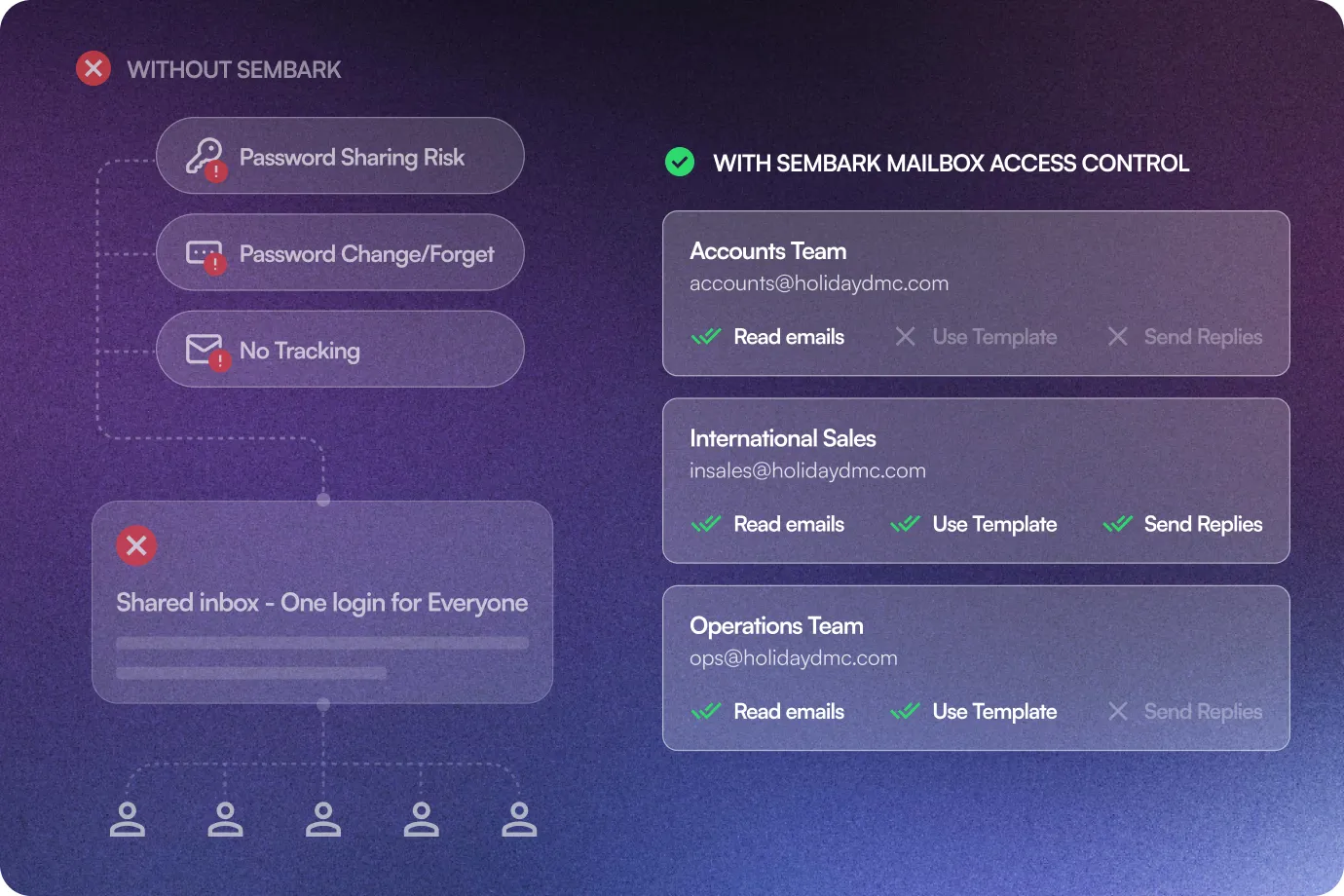
Admin Access Control (Per Team)
Control exactly what each team can do with a connected mailbox: Read incoming emails, use saved Templates, or send Replies, independently, per team, per mailbox.
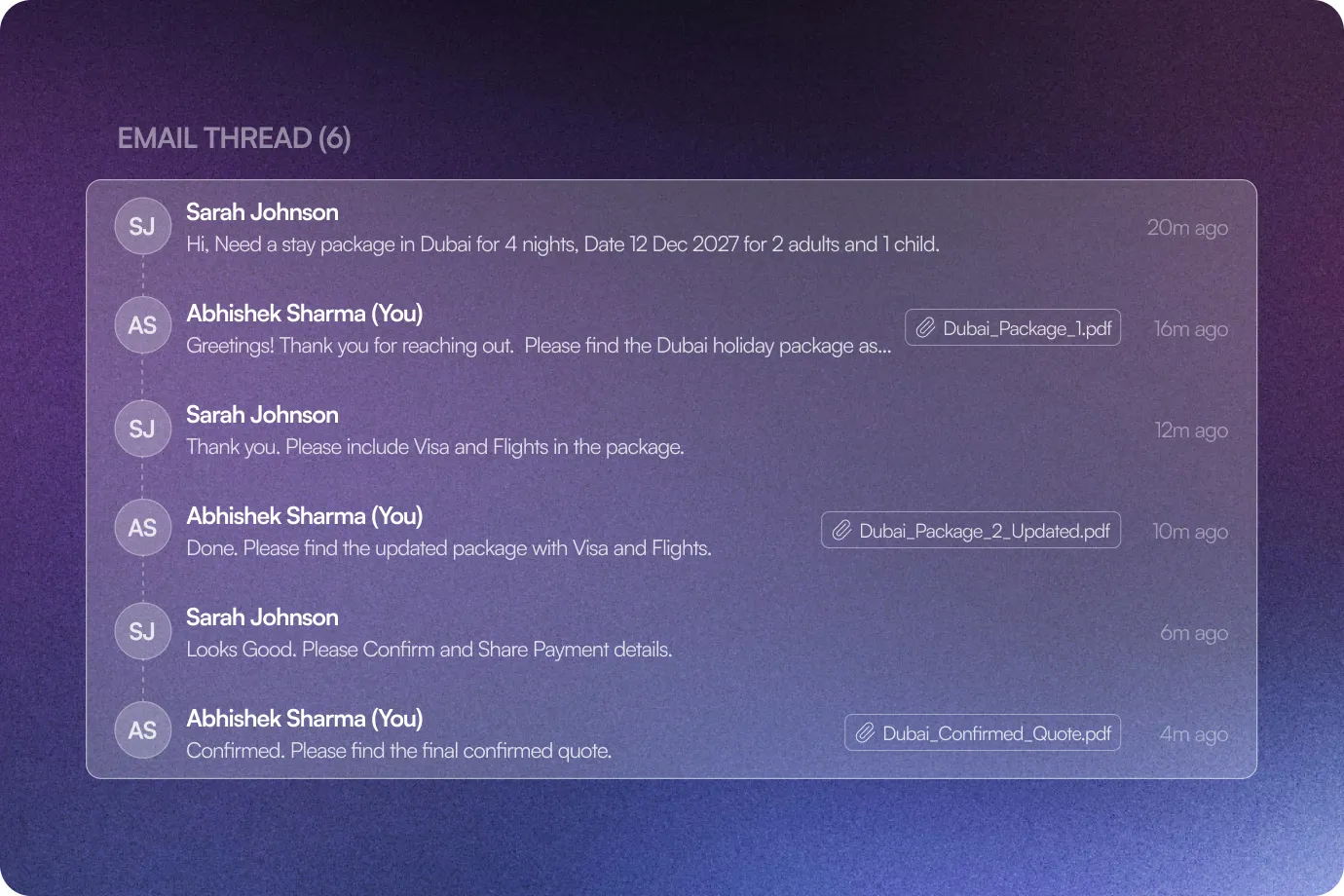
Email thread For Every Trip
Keep the entire email conversation linked to each trip, from the first enquiry to the latest response, with timestamped messages.
The Sembark Way
Your Workflow With & Without AI Email Reader by Sembark
The Old Way
Email enquiries remaining unattended
Manually reading and updating CRMs with leads
Manually identify & assign leads with no-inter connection
Back and forth between inboxes and CRMs to track conversations
The Sembark Way
Every email enquiry is captured instantly
AI extracts enquiry details automatically
TPR is created & assigned automatically
Complete email history available with every trip
Frequently Asked Questions
FAQs for AI Email Reader
Which email providers can I connect to?
Gmail via OAuth, or IMAP/SMTP with presets for Google Workspace, GoDaddy, Hostinger, and Zoho Mail, or Custom for any other provider.
What happens if an email isn't a genuine travel Enquiry?
It's tagged No Enquiry Found, and no Trip Plan Request is created, keeping your lead list accurate.
Will a customer's reply to an existing conversation create a new lead?
No, it's tagged Parsing Skipped and stays linked to the existing Trip, preventing a duplicate lead.
What happens if an Enquiry email is CC'd to my team?
Only the primary recipient creates a lead, since internal CC recipients are automatically ignored.
How is AI Email Reader usage billed?
Through a separate credit balance, independent of your regular billing, with credits consumed only on actual usage.
Still have questions?
Get in Touch with Us