









1. Hyper Localisation of Currency
This release introduces currency configuration capabilities, enabling region-specific formatting, rounding preference, and solidus (/-) display. These configurations can be managed only by the admin and ensure consistent currency representation across all modules.
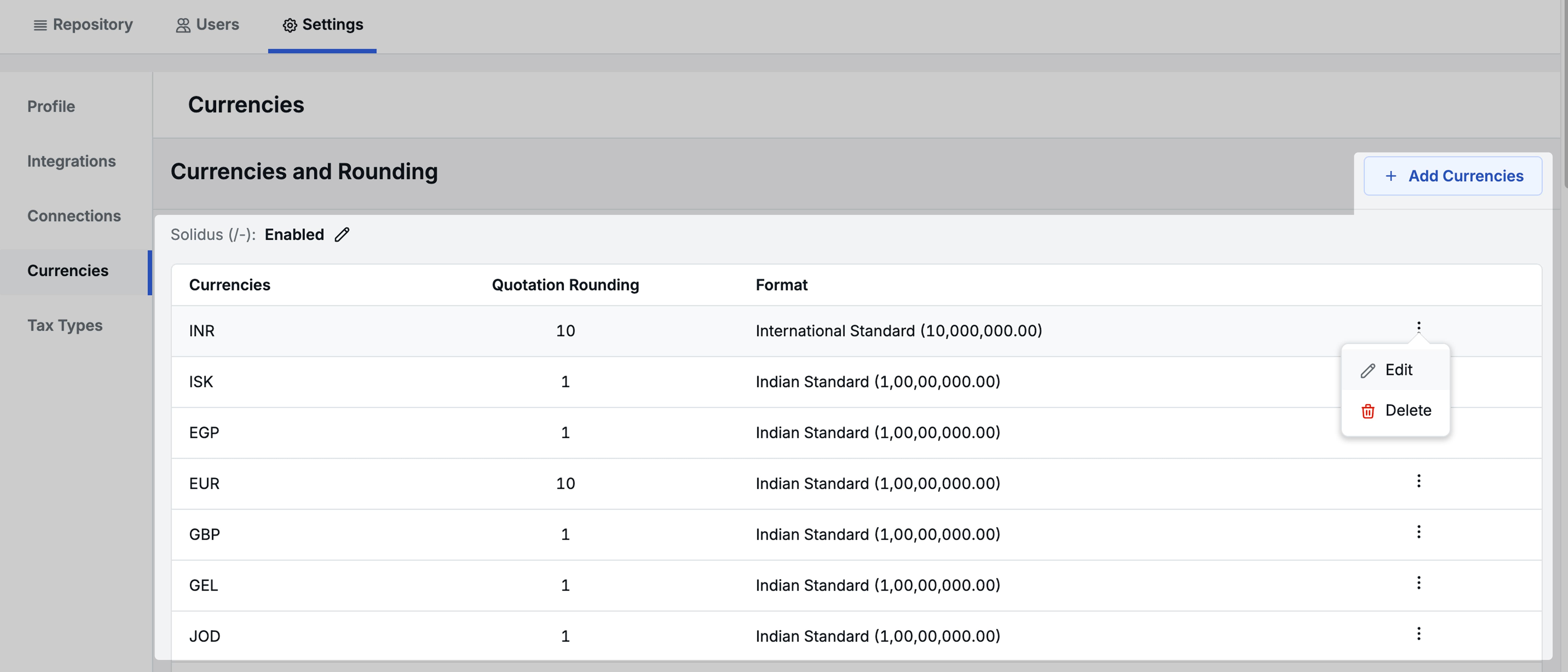
New Currency Settings
-
3 currency formats:
- Indian Standard (3-2-2 grouping) → 100,00,000.00
- International Standard (3-3 grouping) → 10,000,000.00
- European Dot Separator (3-3 grouping) → 10.000.000,00
-
Solidus (/-)
- Enable or disable the solidus symbol for all price amounts (e.g., INR 1,000 /-)
-
Rounding options : 1, 5, 10, 50, 100
- e.g. 36,803.20 rounded to 10 → 36,810
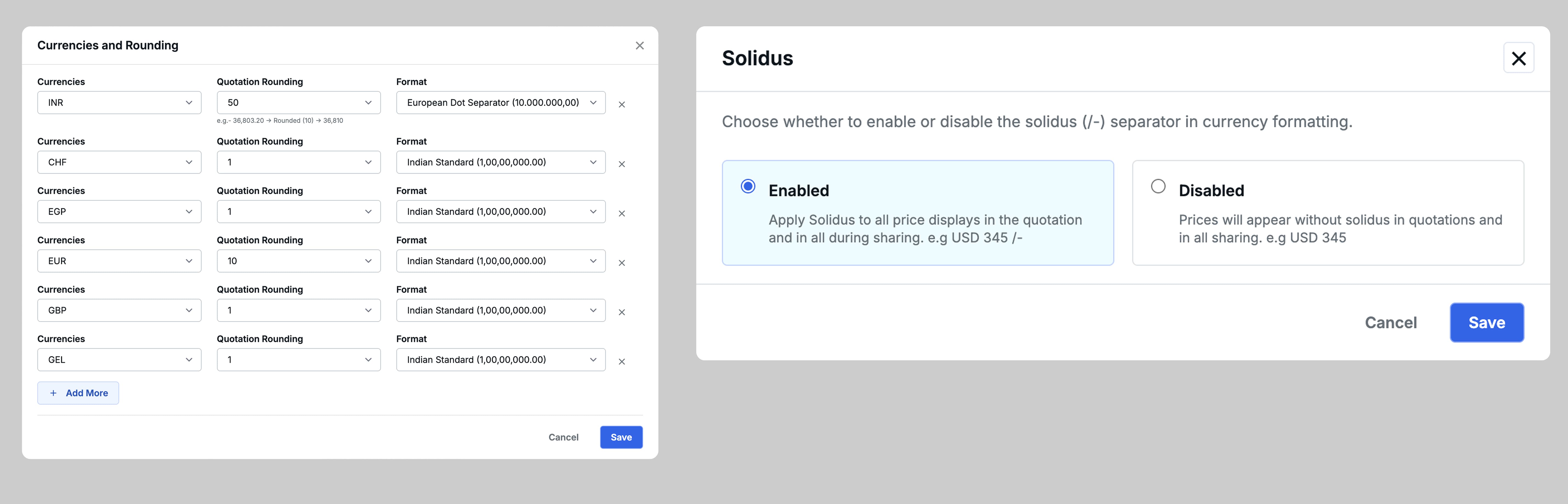
Solidus (/-) Display Behaviour
-
When enabled, the solidus symbol is displayed in all shareable content including:
- WhatsApp quote sharing
- Email quote sharing
- Email templates
- Operational booking sharing
- Cab schedule sharing
- Quotations PDF
-
NOTE: Solidus appears only for Integer amounts and is hidden for decimal values.e.g. Since JPY does not allow decimal values, solidus is not used for JPY.

Quotation Rounding Behaviour
- While creating or editing a quotation, rounding preference will automatically be set according to the selling currency’s quotation rounding preference.
2. Tags and Follow-ups on Trip Plan Requests
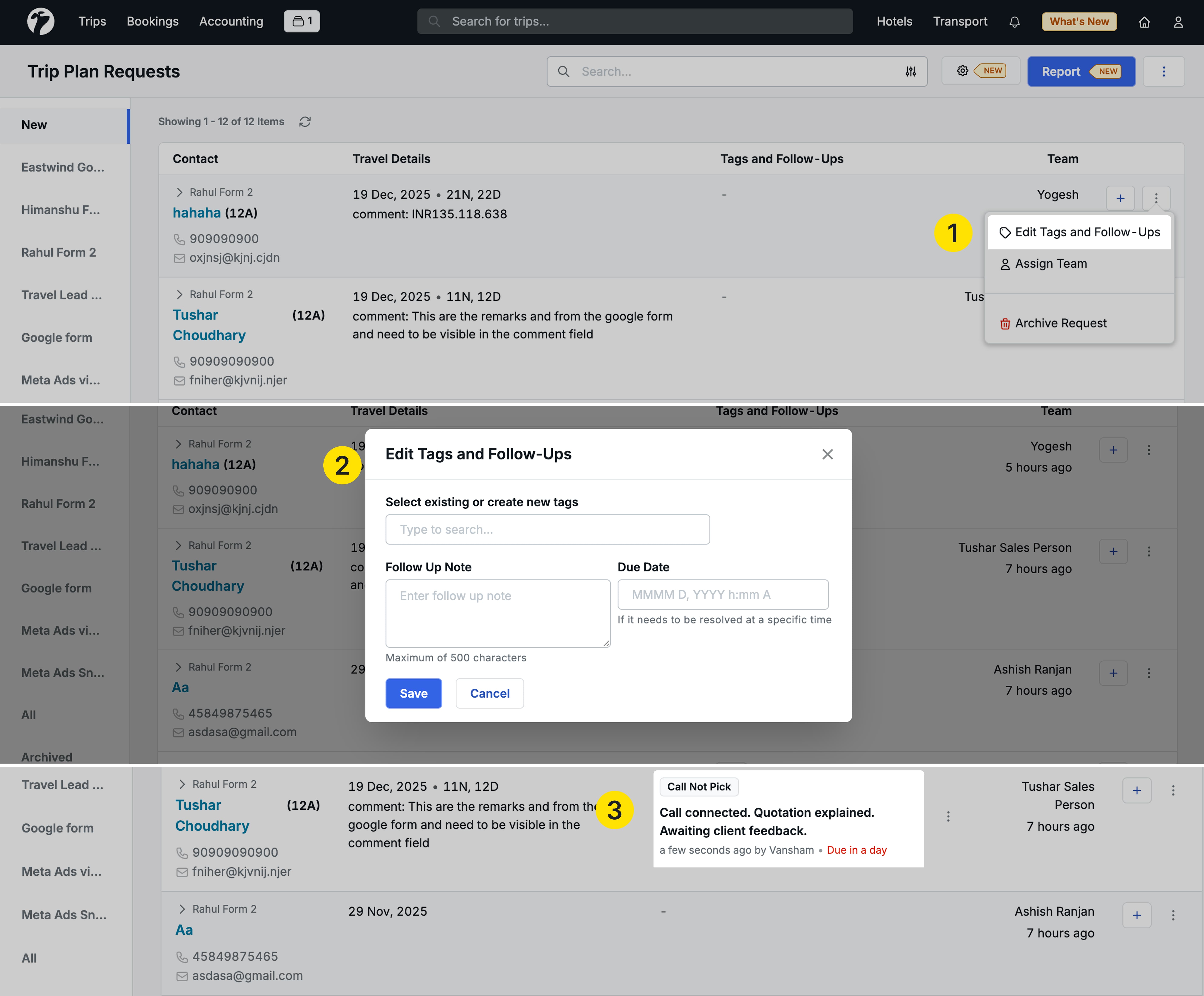
- You can now add Follow Up Notes against each lead in Trip Plan Requests. You can also specify an optional due date/time for the Follow Up Note.
- Follow Up Notes can also be marked as resolved in the Trip Plan Request
- All tags and follow-ups are now listed together in the Tags and Follow-ups column
What happens when a Trip Plan Request (Lead) is converted to a Trip Query?
When a lead is converted into a Trip query, the follow-up notes from the Trip Plan Request are moved to the Task and Comments section under the Trip’s detail page and they can then be marked as resolved.
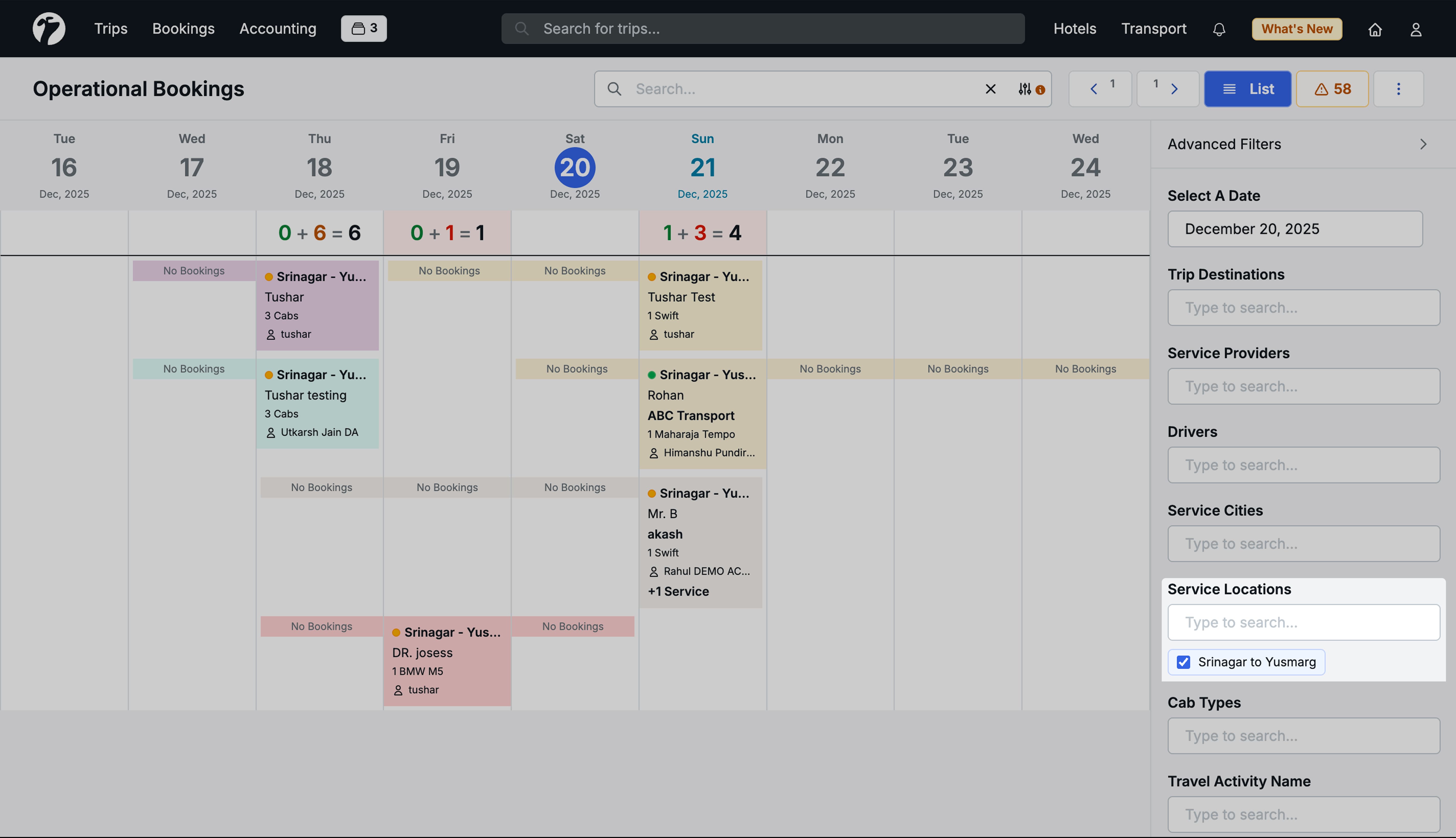
3. Filter Trip Operational Bookings by Service Locations (A to B)
You can now filter operational bookings by service location, allowing you to view services operating between specific locations. For example, an operator can see how many cabs are assigned from Gangtok City to Gangtok Airport, or vice versa, for a day, and plan the day’s operations accordingly.
4. Other Improvements
- Improved sharing of Hotel Extras Bookings (remove check-in/out and nights details)
- Show Entry Method (Manual vs Sheet Upload) of Transports and Activities during Quotation creation
- Fixed an issue where unsettled refunds from price reductions were incorrectly added to new payments; pending refunds are now correctly deducted from subsequent payments before settlement.
- Bug fix: Airports now follow Daylight Savings Time in the Flights module