







Features
Booking & Reservation
Tour Movement Chart Software for a Complete View of Every Trip
This tour movement chart software gives you one calendar for every upcoming tour, task, and team activity. It syncs automatically with confirmed trip data, so sales and operations both know what's happening, what's next, and who's responsible.
Fast-Growing Travel Companies Powered by Sembark's Smart Tour Calendar












%201.C5nQIJrz_wXwPo.webp)





A day in your office
Problems That Show Up Before You Automate Tour Tracking
Last Minute Surprises
Your team catches mistakes at the last minute, a missed booking, missing driver details, sometimes even the trip's start date. There's a new unplanned fire drill almost every day.
Sales To Operations Misalignment
Even when departments sit next to each other, data still gets missed or miscommunicated. Half your team's time goes into panic calls and last-minute arrangements.
Overlapping Tours & Resource Clashes
The same driver can't be in two places at once, yet the same cab, guide, or team member often ends up assigned to two trips at the same time without anyone noticing.
How It Works
How the Tour Movement Chart Keeps Your Day Panic-Free
- 1
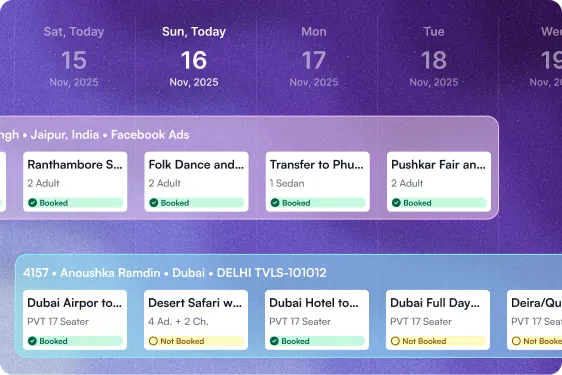
Centralized View of All live trips
See all your trips, ongoing or upcoming, at a glance. Know exactly what's booked, who it's assigned to, and what resources are available, without confusion.
- 2
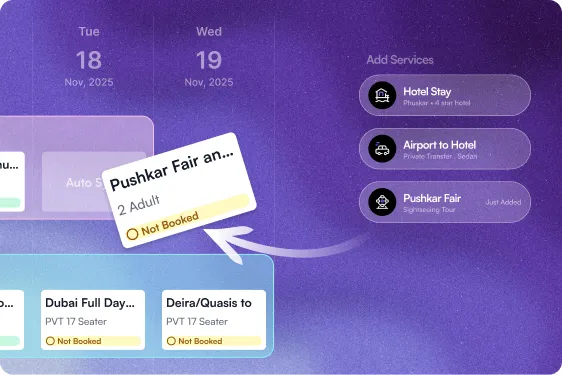
Auto-Sync Data with Teams
Any change to an itinerary or transport detail reflects instantly on the calendar. Sales and operations always work off the same information.
What Happens After You Switch
Sembark Safeguards Your Operations From Panic Attacks
0
Missed follow-ups & lost leads
90%
Reduced internal confusion
70%
Improved operational efficiency
100%
Accurate data sharing
What will enable seamless tour operations?
Live Tracking and Automated Reminders for Every Trip
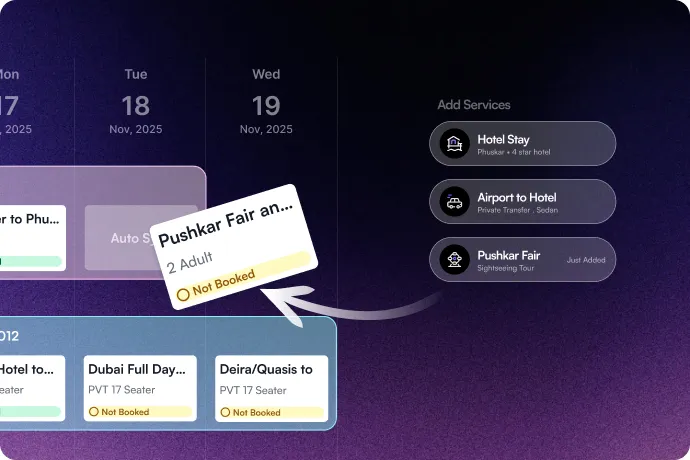
Real-Time Team Coordination
Every change reflects instantly on the calendar, so your team always works with the latest information, without extra follow-ups or errors.
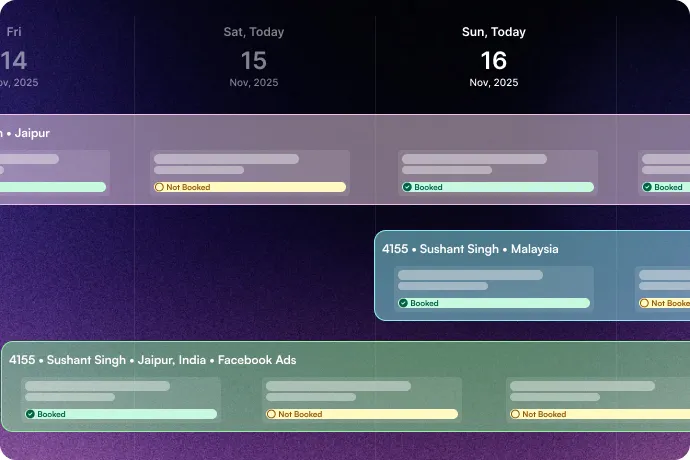
Colour-Coded View
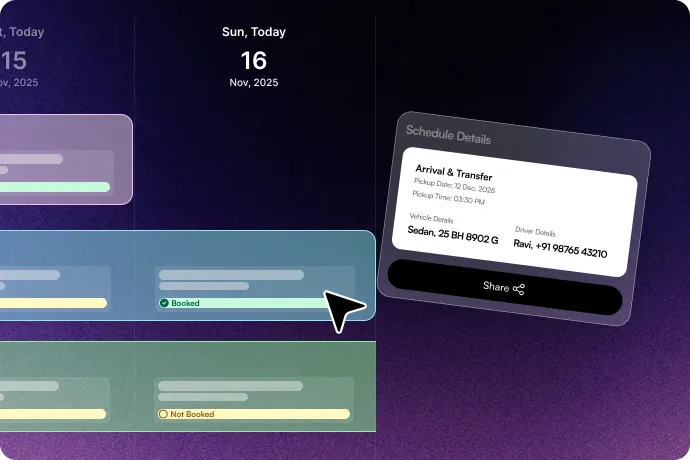
A colour-coded view shows the current status of everything, schedule, payment, driver details, and pending tasks, so nothing gets missed.
Direct Sharing
Share booking details directly with drivers, vendors, on-ground staff, or guests in one click.
The Sembark Way
Your Workflow: With & Without Sembark
The Old Way
Error in bookings, payments, & schedules
Delayed, untracked or pending confirmations
Zero responsibility & accountability
Time-consuming & error-prone movement chart
The Sembark Way
Accurate booking, smart payment tracking & auto-schedule update
Real-time confirmations with live status
Clear task ownership and tracking
Automated movement chart with alerts & real-time tracking
Frequently Asked Questions
FAQs for Smart Tour Calendar
What is a tour movement chart?
A tour movement chart is a centralised calendar view of every ongoing and upcoming trip, showing bookings, driver and resource assignments, and payment status in one place. Sembark syncs it automatically with confirmed itineraries, so nothing needs to be entered twice.
How does the tour movement chart prevent double-booking a driver or guide?
Every resource, cab, guide, or team member, shows against the trip it's assigned to, so a clash is visible the moment it happens instead of being discovered on the day of travel. This is especially useful for outbound tour operators juggling several trips departing close together.
Can operations and sales see the same tour data at the same time?
Yes. Any change to an itinerary, transport, or schedule reflects instantly across the calendar, so sales and operations are always looking at the same information, no separate updates or follow-up calls needed.
Still have questions?
Get in Touch with Us