






Features
Visa Management
Visa Management Software for Travel Agencies & Tour Operators
Configure country-specific visa services, set pricing and document requirements for every visa type, and add them directly to quotations. Once a quotation becomes a trip, collect guest documents, record supplier payments, and track every application stage, all from your travel CRM.
Fast-Growing Travel Companies Powered By Sembark's Visa Management












A day in your office
What Travel Teams Deal With Today
Visa Details Are Scattered
Visa information, guest documents, and application updates remain difficult to track across trips.
No Clear Application Status
Without centralised tracking, teams struggle to know where each application stands.
Supplier Payments Tracked Separately
Visa service costs & supplier payment details require separate tracking and coordination.
How It Works
How Visa Management Works in Sembark
- 1
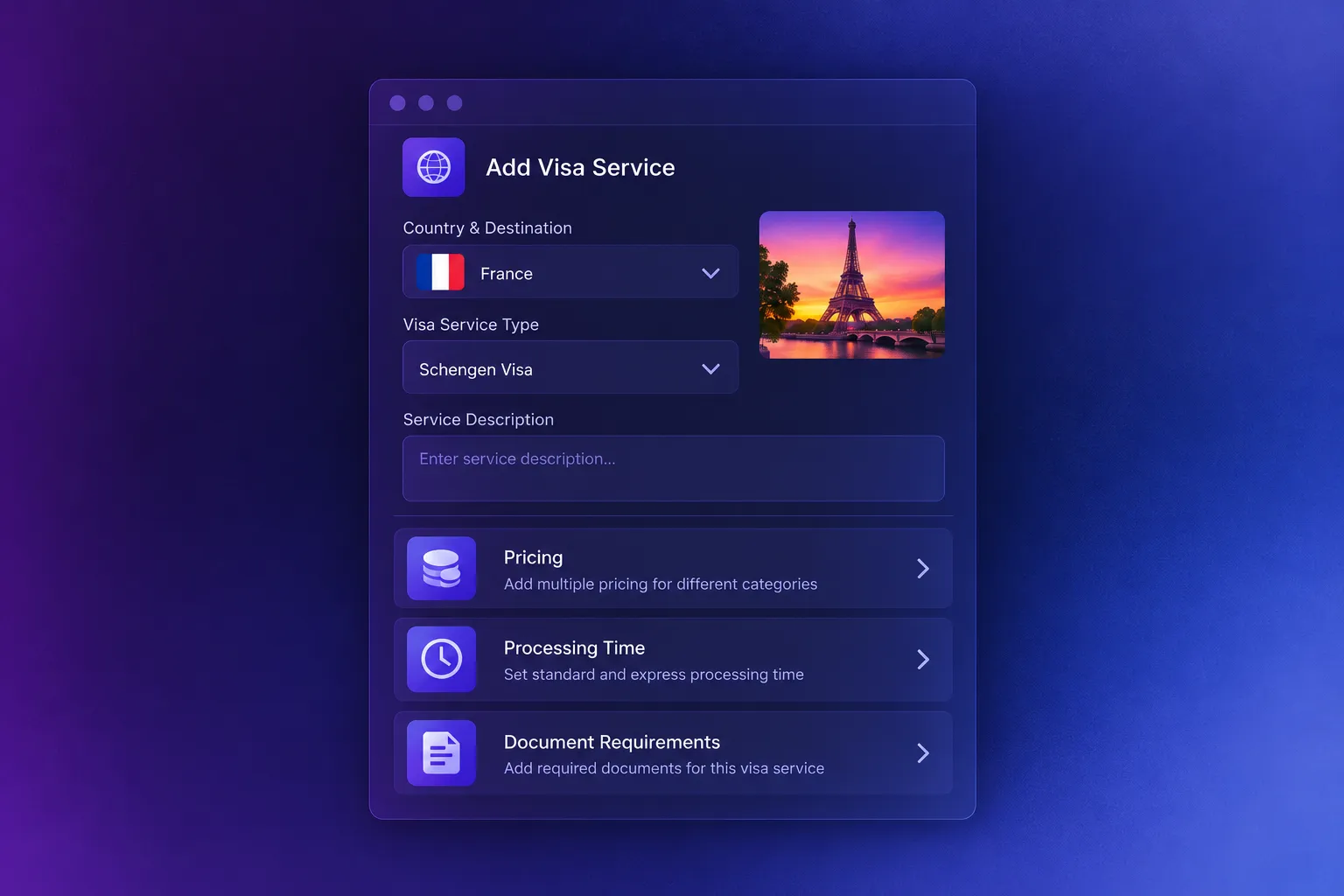
01. Configure Your Visa Services
Create visa services for specific countries & destinations in the system once. Add multiple pricing, processing time, & document requirements for each visa service type.
- 2
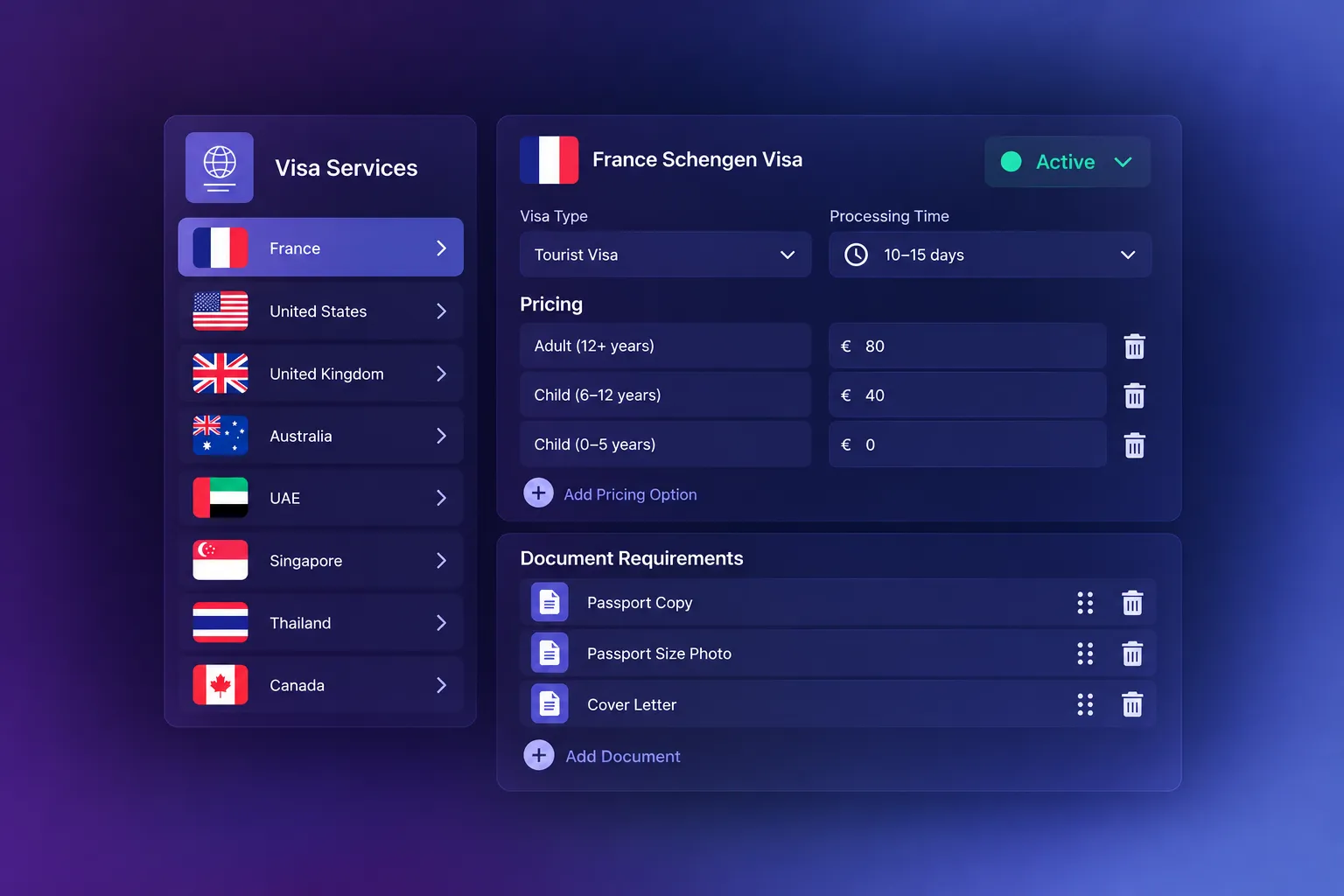
02. Add Multiple Visa to Quotations
Include the relevant visa type in a quotation alongside hotels, transportation, and activities. Share the mandatory document list with customers directly in the quotation.
- 3
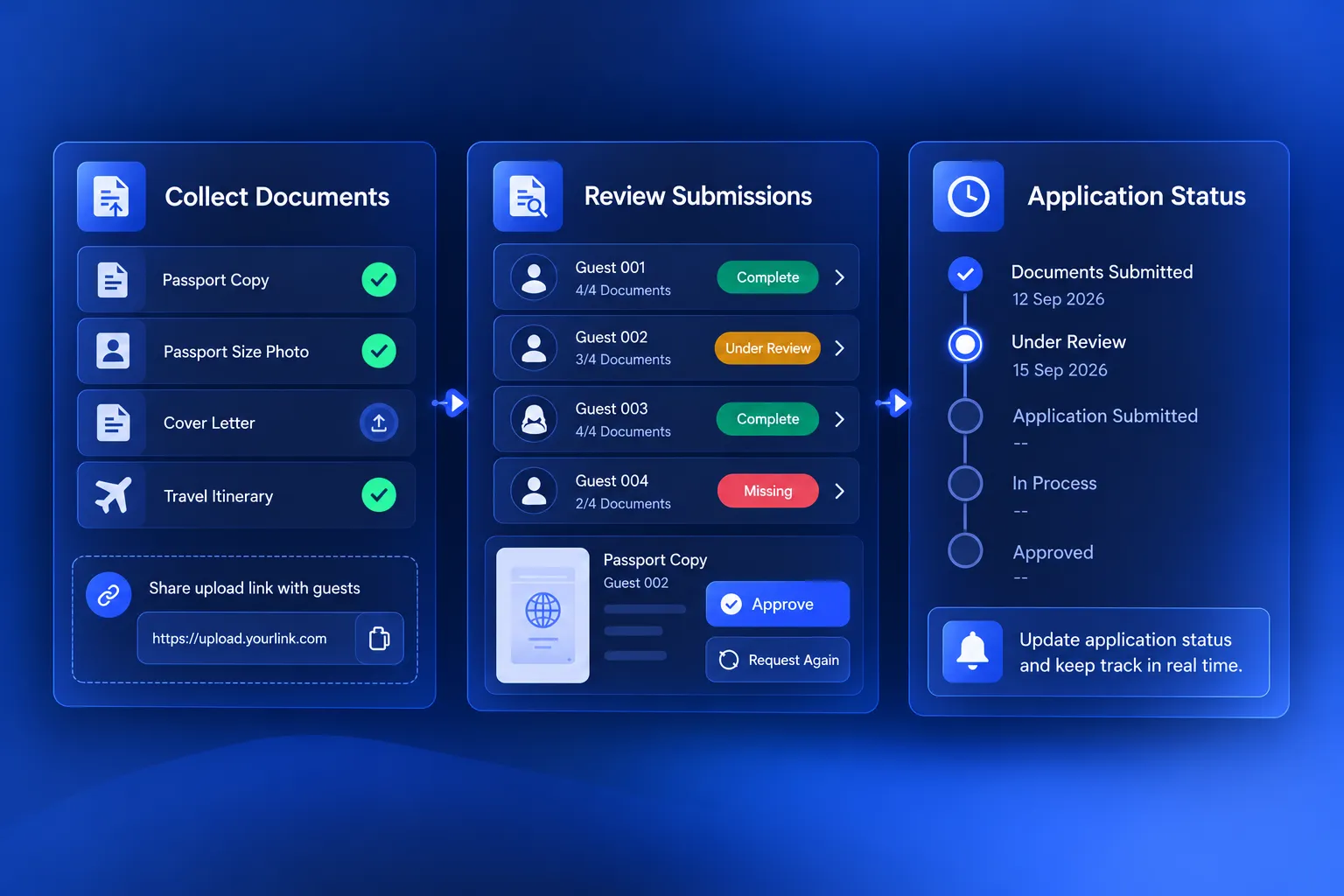
03. Collect Documents & Manage Applications
After the quotation converts into a trip, assign guests to the relevant visa types, collect documents through a shared upload link, review submissions, update application statuses, and track application and payment details.
What Happens After You Switch
Built for Travel Businesses
1200+
Travel Teams
28+
Countries
15000+
Daily Active Users
100%
Centralised Workflow
Everything you need to manage visas in one place
Visa Management Features Built for Travel Businesses
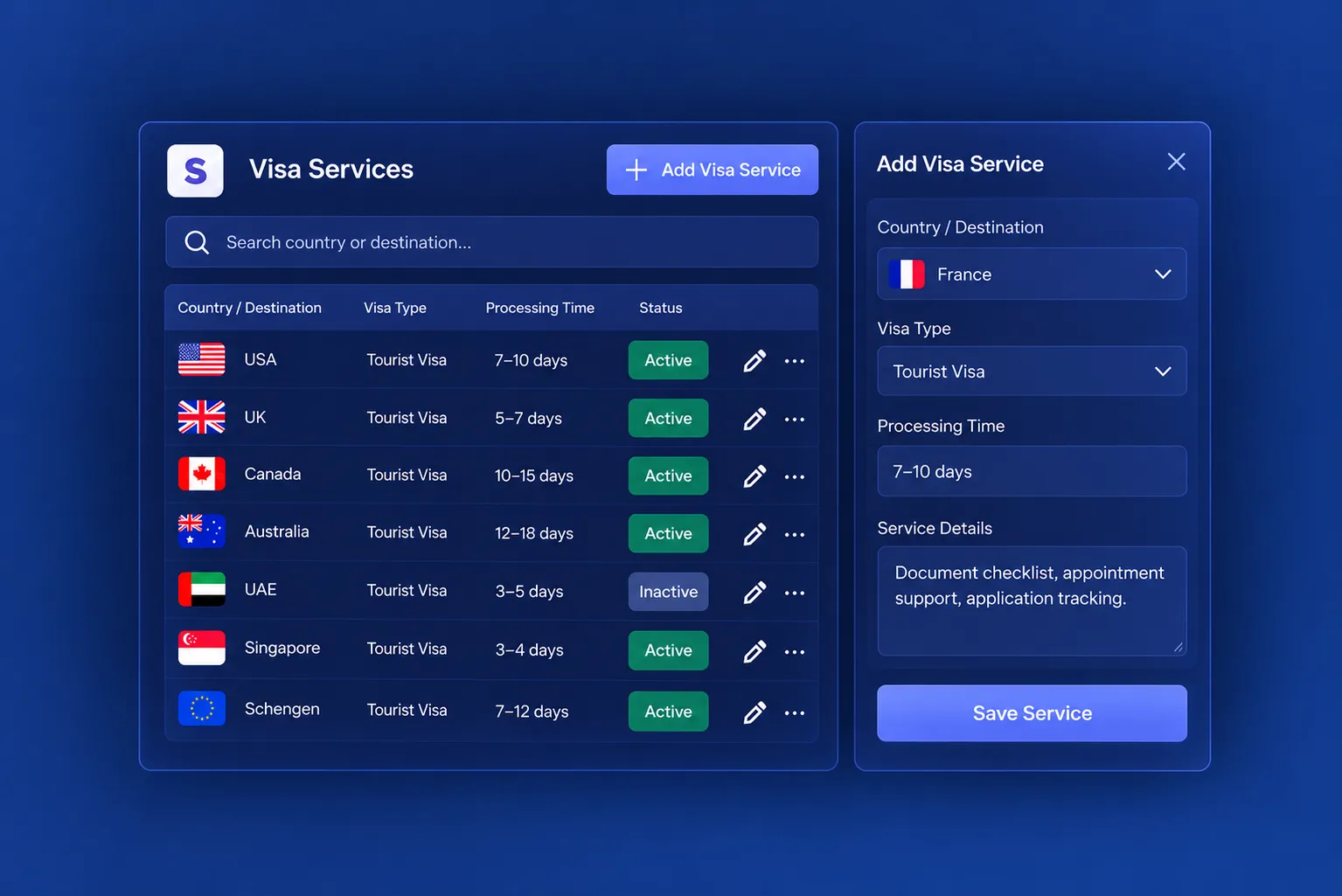
Country-Specific Visa Services
Create & manage visa services by country and destination, with a dedicated listing to view existing services and configure new ones.
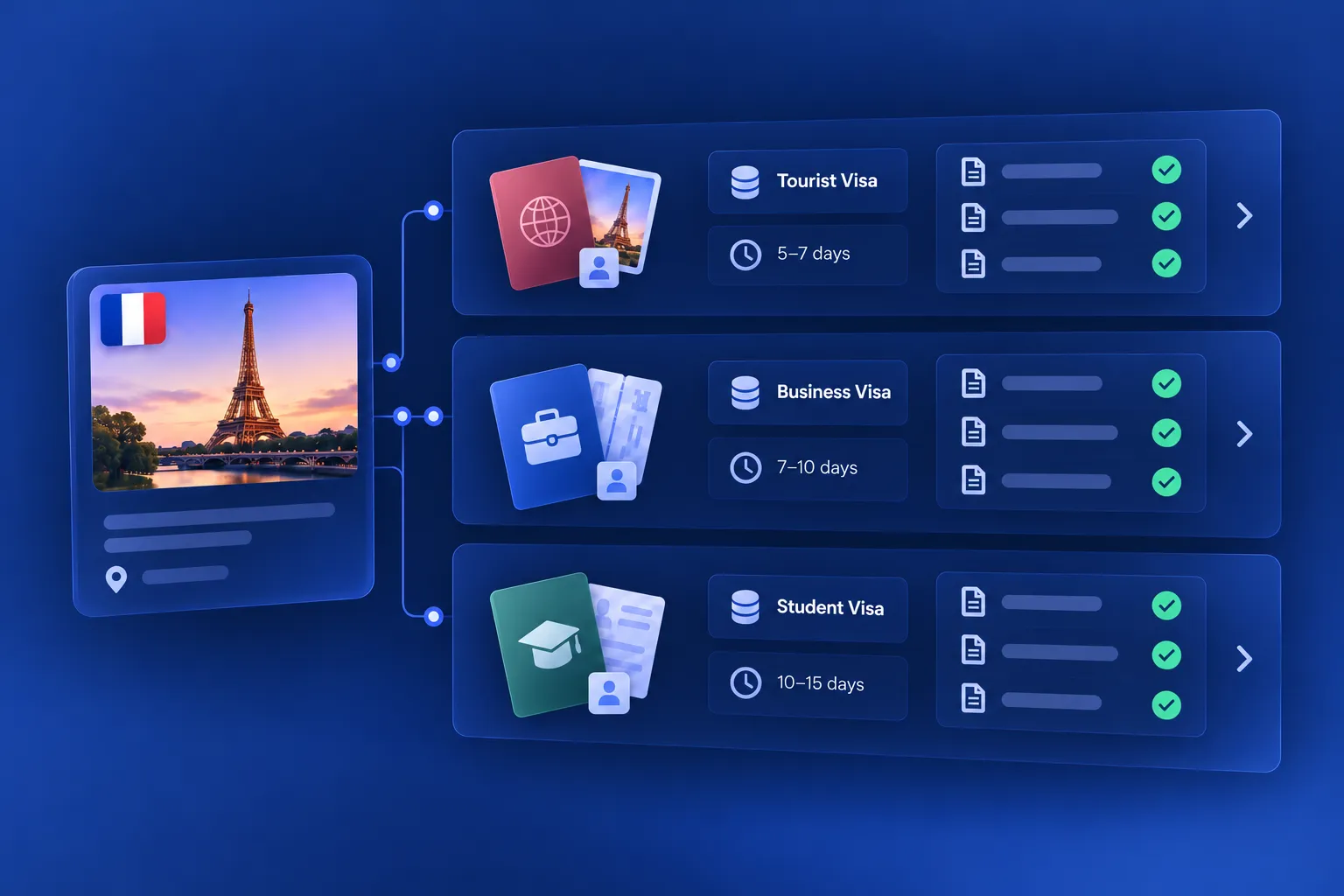
Multiple Visa Types
Configure multiple visa types under one service, each with its own pricing, processing time, and document requirements. For example, a UAE visa service can include a 30-day single entry, a 60-day multiple entry, and a transit visa.
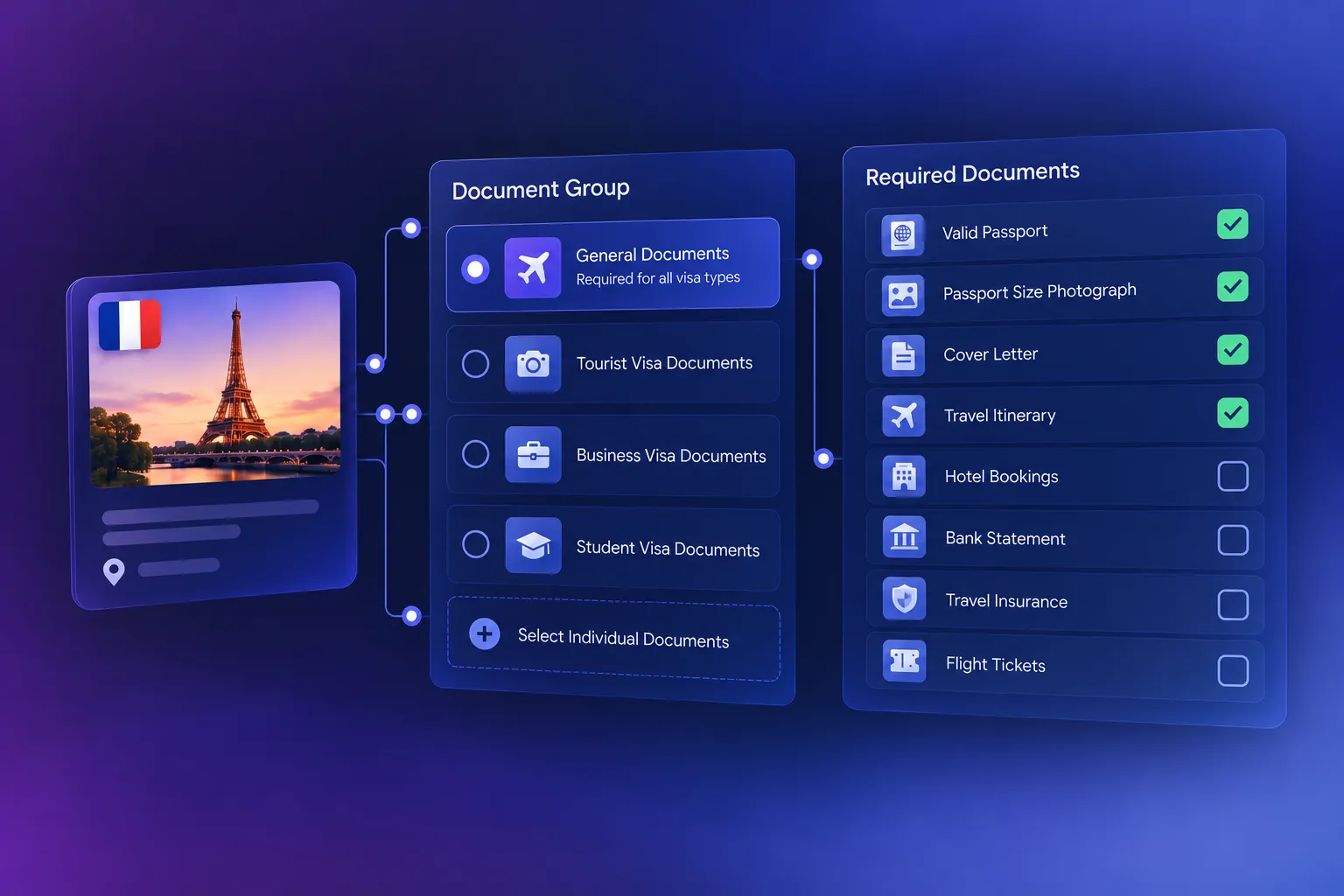
Custom Document Requirements (Grouping)
Select predefined document groups or choose individual documents to specify what applicants must submit for each visa service.
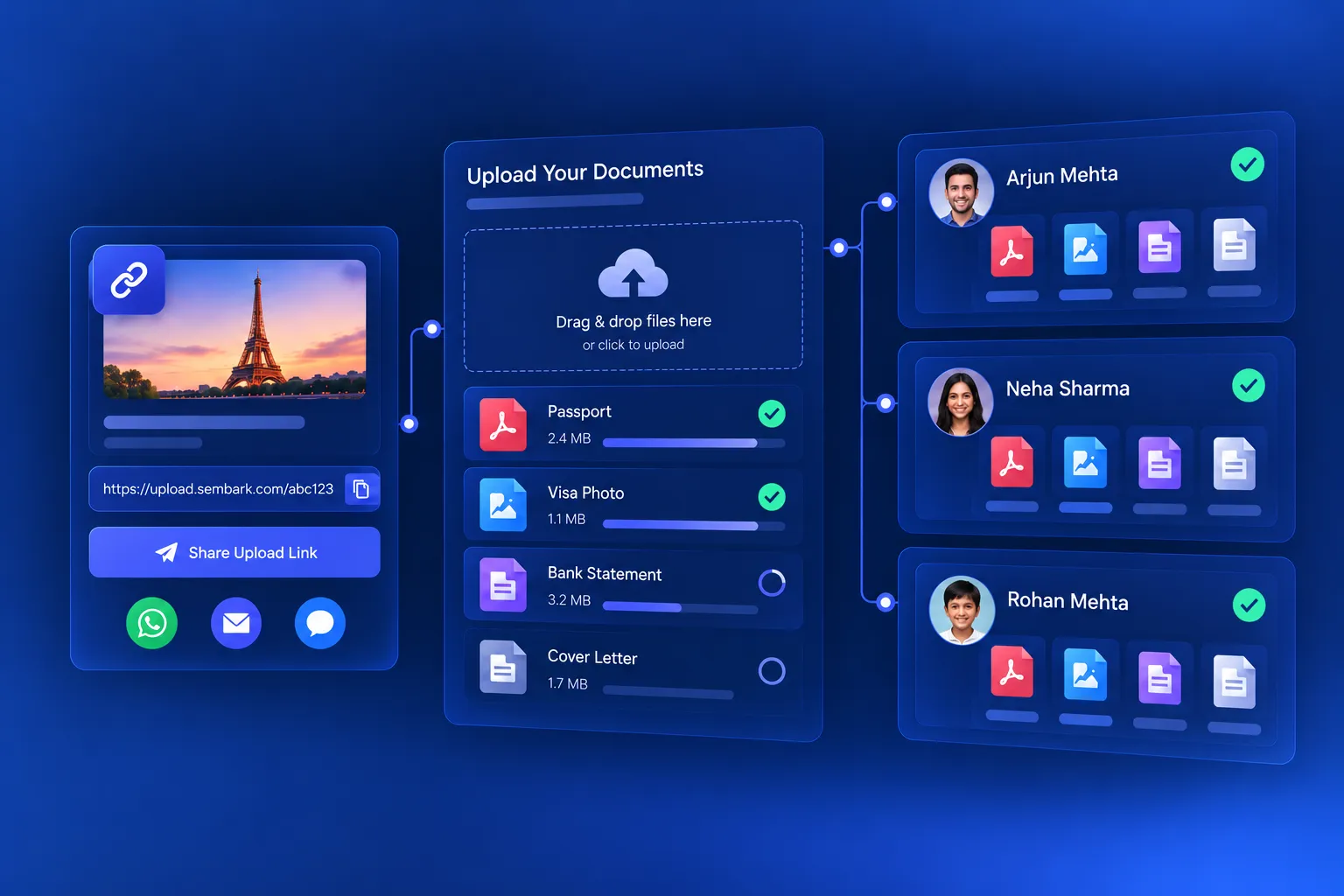
Shared Document Upload Link
Collect guest documents through a shared upload link and keep submitted documents connected to the relevant guest profile.
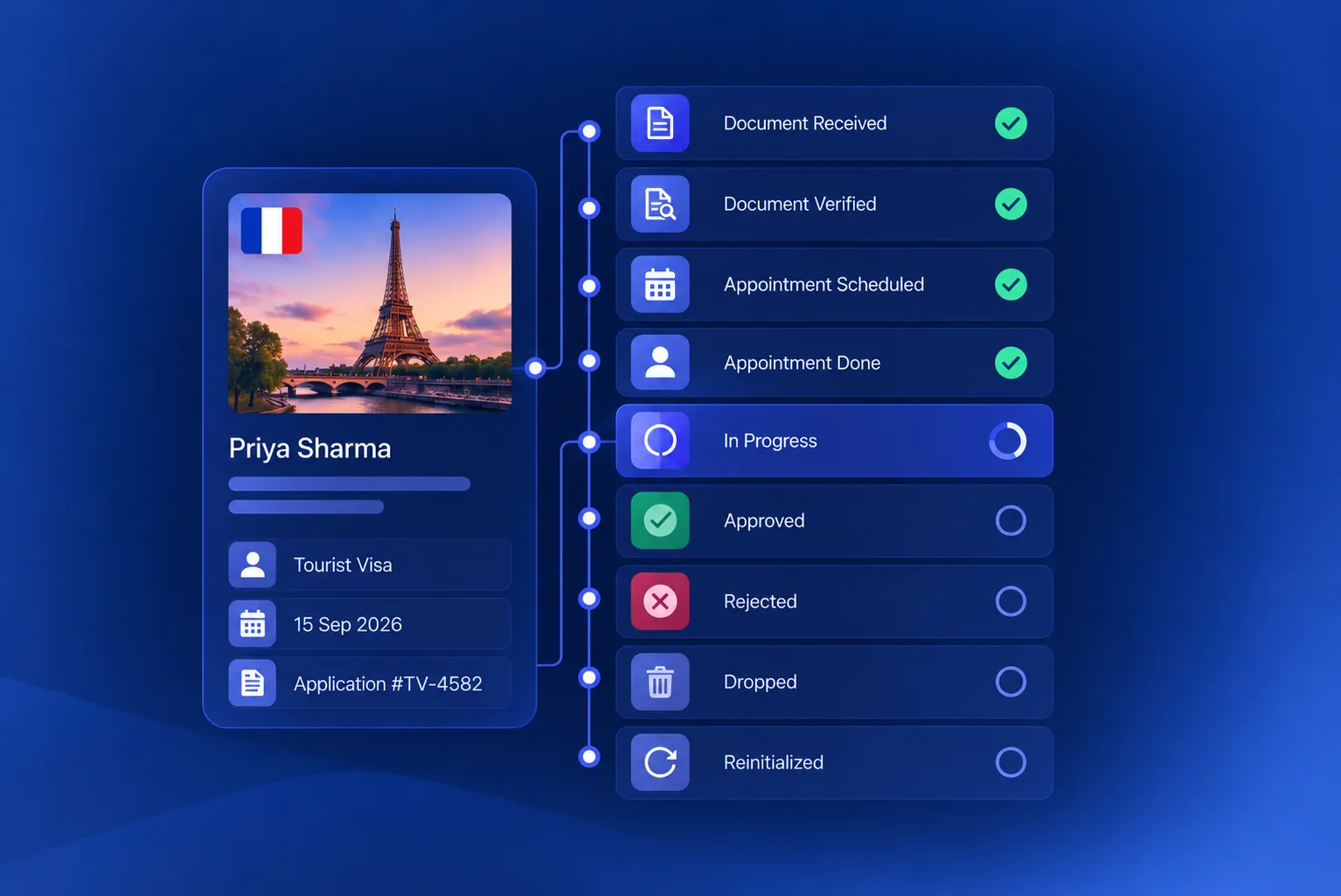
Stage-Wise Visa Status Tracking
Stages: Document Received → Document Verified → Appointment Scheduled → Appointment Done → In Progress → Approved / Rejected / Dropped.
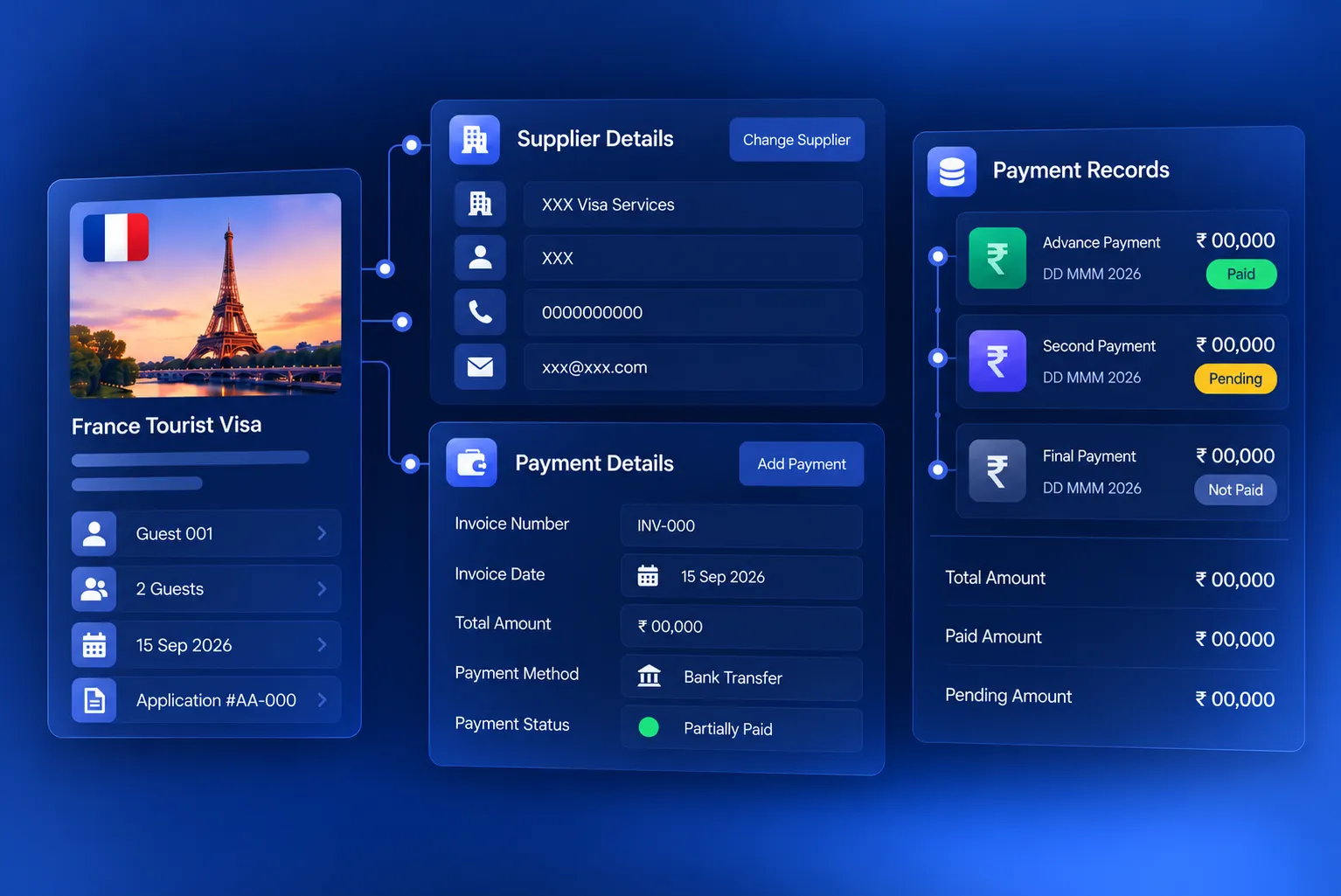
Supplier & Payment Records
Record supplier and payment details against the visa booking to keep financial information connected to the relevant trip.
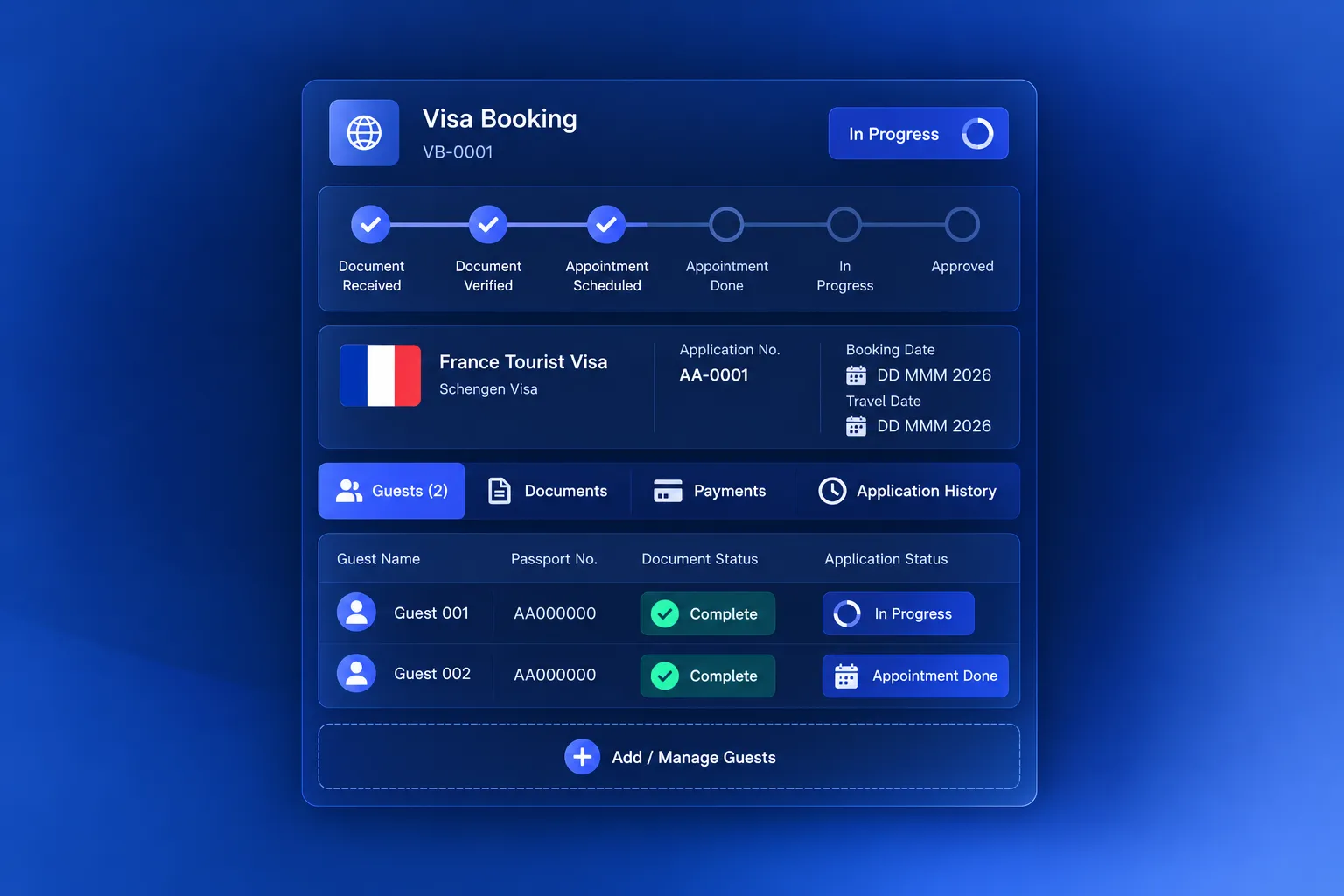
Centralised Visa Booking Management
Access visa booking details from the Service Booking page, review documents, manage guest assignments, and monitor the application process in one place.
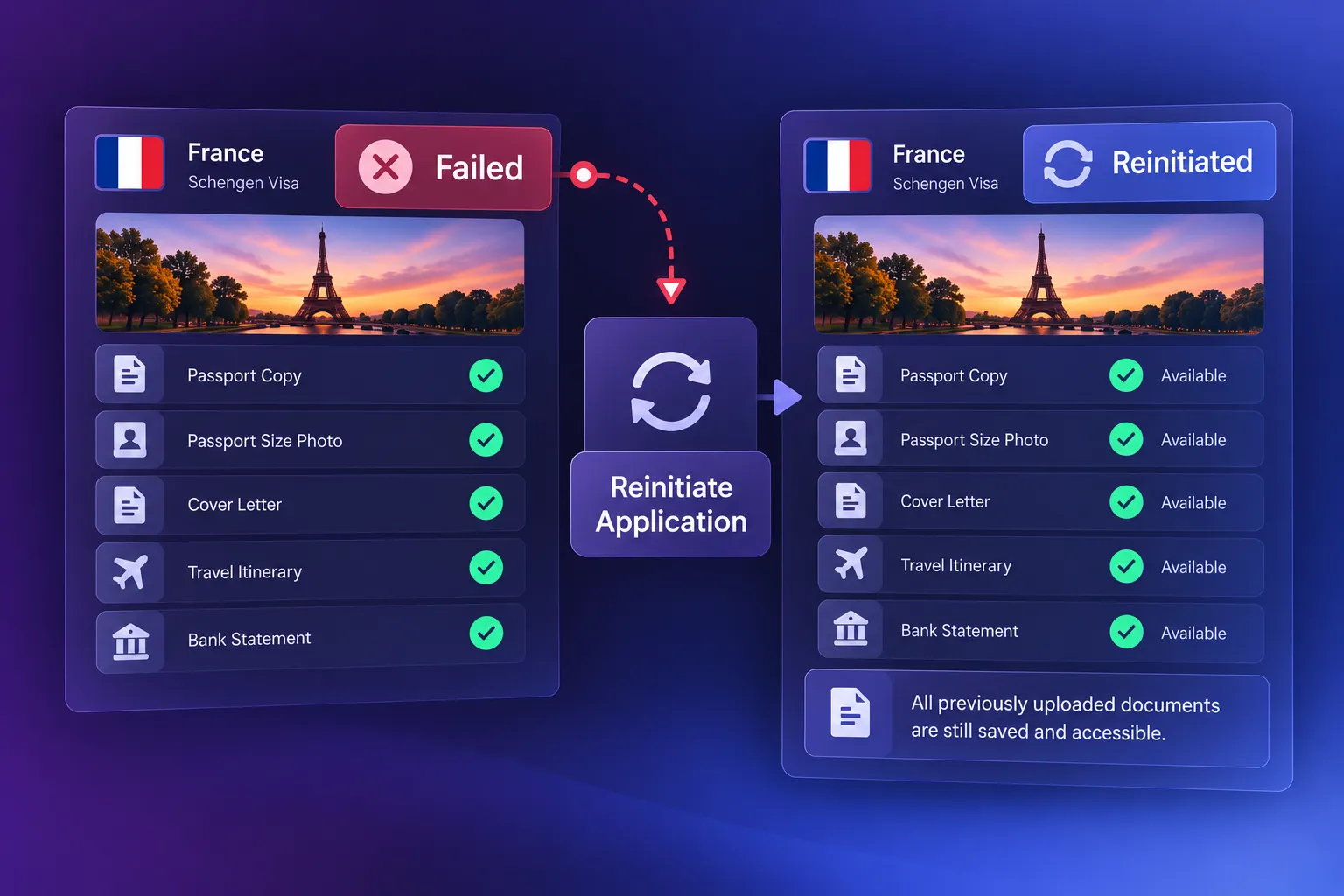
Easy Visa Reinitialization
All documents remain saved and accessible, making it easier to reinitiate visa applications without collecting everything again.
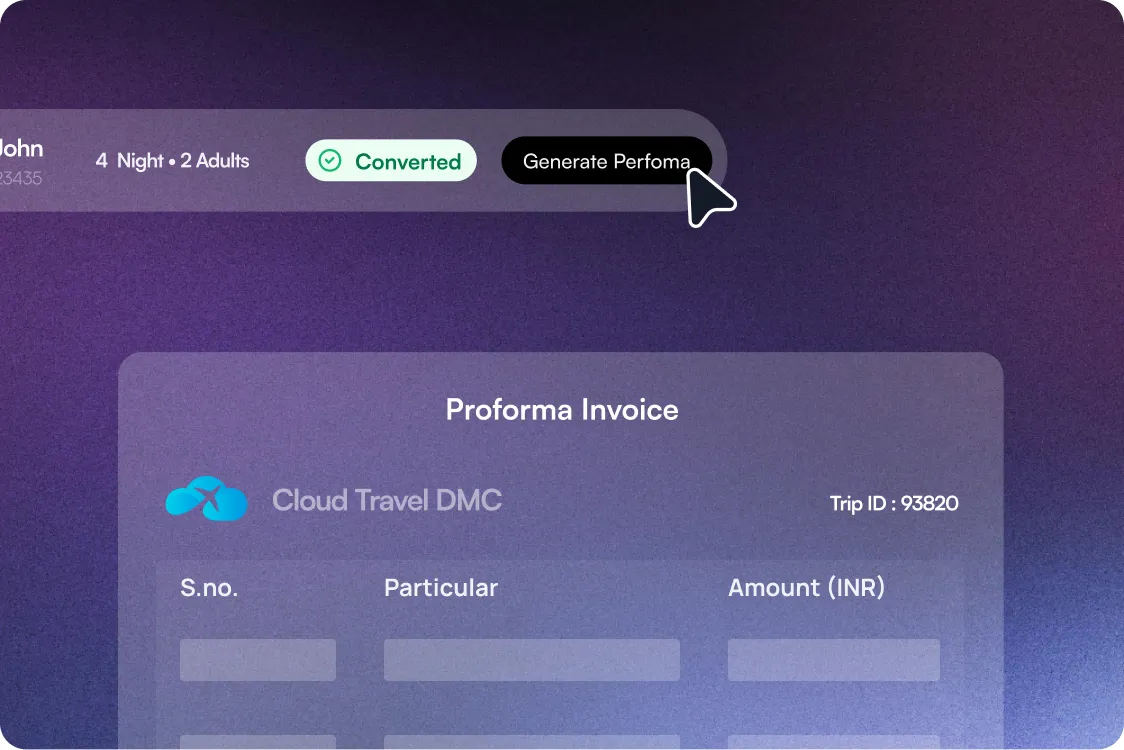
Visa Charges on Proforma Invoice
Visa services appear as their own line item on the proforma invoice, with an optional price and tax breakup.
The Sembark Way
Manual Visa Tracking vs Sembark
The Old Way
Explain document requirements separately to each customer
Collecting guest documents via disconnected conversations
Ask the team for updates on individual visa applications
Track visa supplier costs & payments separately
Manage each stage without a clear application history
The Sembark Way
Share mandatory document requirements directly with the quotation
Use a shared upload link to connect all documents
Check each guest's application status from a Service Booking page
Record supplier and payment details against the visa booking
Maintain a stage-wise record of every visa application
Frequently Asked Questions
FAQs
What is visa management software for travel agencies?
Visa management software helps travel agencies and tour operators organise visa services, manage visa types and pricing, collect traveller documents, and track application progress. Sembark brings these activities together with trip quotations, guest profiles, and service bookings, so you can manage the complete booking, including visas, from your travel CRM.
How can travel agencies manage visa applications in a Travel CRM like Sembark?
Travel agencies just need to configure visa services by country & destination, add visa types to quotations, assign travellers to the appropriate visa type, collect documents through a shared upload link, and track each application through its different stages.
Can I manage multiple visa types and pricing in one system?
Yes. Sembark allows travel agencies and tour operators to configure multiple visa types under a single visa service, each with its own pricing, processing time, and document requirements. For example, a UAE visa service can include a 30-day single entry, a 60-day multiple entry, and a transit visa, each with separate pricing and requirements. You can also define the required documents for each visa service using predefined document groups or individual document selections.
How can travel agencies collect visa documents from customers?
Travel agencies can share a document upload link with customers to collect the required visa documents. Submitted documents are linked to the relevant guest profile, helping teams organise applicant records in one place.
Can I track visa application status for multiple travellers?
Yes. Sembark lets you update and monitor visa application statuses, including document verification, appointment scheduling, processing, approval, and rejection. Different guests on the same trip can be assigned to different visa types.
Can visa services be included in travel quotations?
Yes. Sembark allows travel agencies to add configured visa services to trip quotations alongside hotels, transportation, and activities. You can also share the mandatory document requirements for the selected visa type with the customer.
Does Sembark submit visa applications to embassies?
No. Sembark manages your internal visa workflow (pricing, documents, statuses and supplier payments). The actual submission happens through the embassy, VFS, e-visa portal or your visa supplier.
Do visa charges appear on the proforma invoice?
Yes. Visa services can be shown as a separate line item on the proforma invoice, with an optional price and tax breakup.
Can I reuse guest documents for a reapplication?
Yes. Documents stay saved on the guest profile, so you can reinitiate an application without collecting everything again.
Can I price visa services in different currencies?
Yes. Each visa service has its own default currency.
Still have questions?
Get in Touch with Us