





This release introduces two significant communication improvements. You can now initiate and reply to email conversations directly from Sembark — not just send TPRs — enabling full two-way communication with DMCs and other contacts without switching to an external email client. WhatsApp messaging also receives three enhancements. Additionally, trip voucher templates now support section hiding, same-day itinerary services can be grouped under a single title, and lead assignment notifications have been introduced for sales and operations teams.
Let’s dive into more details.
1. Custom Email Replies with Attachments
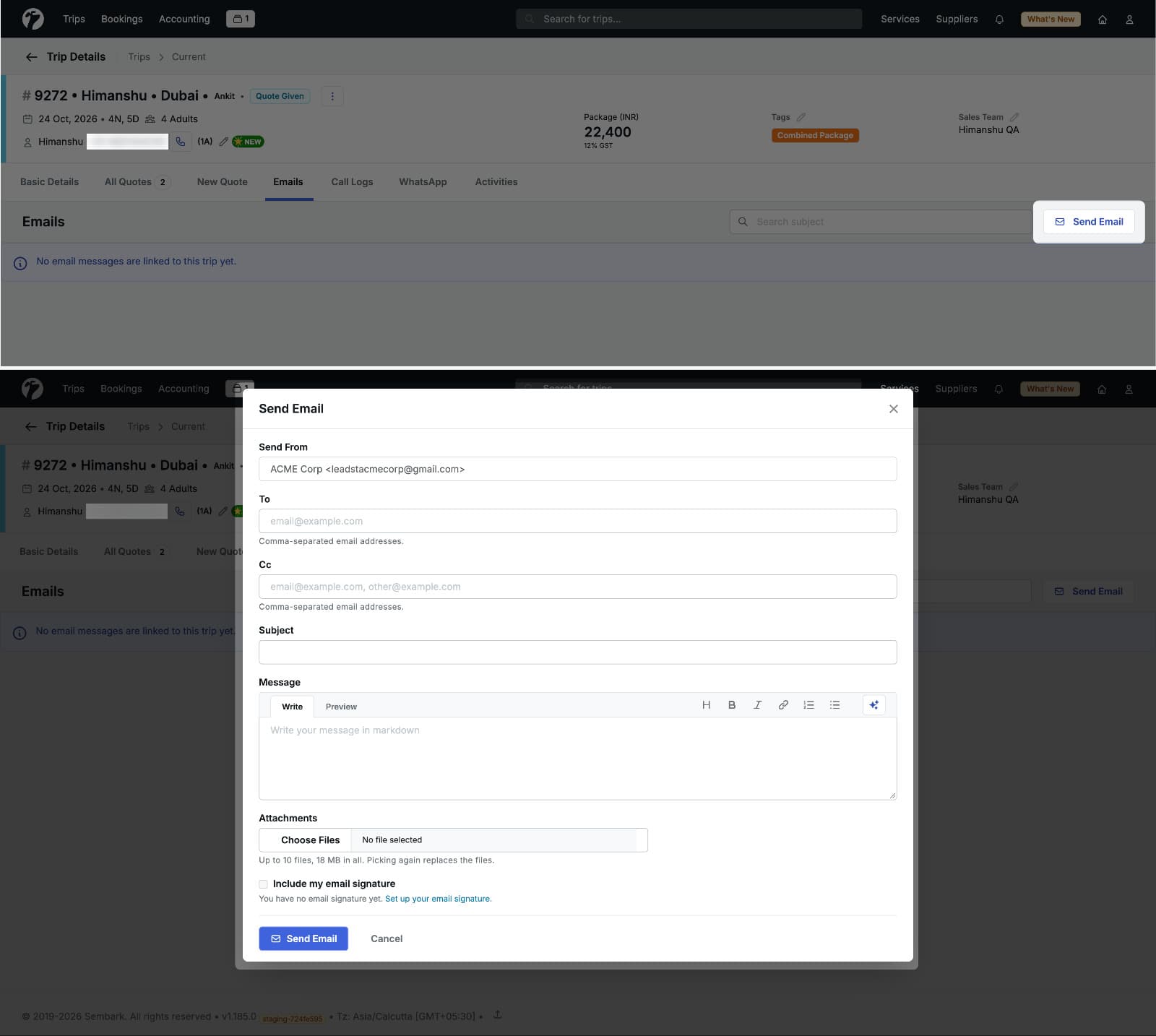
You can now initiate and reply to email conversations directly from Sembark — with any contact, including DMCs, suppliers, or agents — without being limited to sending Trip Plan Requests (TPRs). This enables full two-way email communication from a single platform.
Why this feature matters
Previously, the only outbound email action available from Sembark was sending a TPR. If you needed to ask a DMC about availability, negotiate rates, or have a preliminary conversation before formalising a request, you had to do it outside the system — through your email client — and then manually track that thread separately. This created a gap between your email communication and your trip records. Custom email replies close that gap entirely.
What You Can Now Do
- Initiate a new email conversation with any contact by entering their email address directly — no existing thread or TPR required.
- Add CC recipients to include other team members or contacts in the conversation.
- Share travel requirements or package details in the email body to kick off a conversation with a DMC or supplier.
- Reply to incoming emails from directly within the platform, continuing the thread without switching to an external email client.
- Attach files to outgoing emails — send itineraries, quotations, or any supporting document alongside your message.
2. WhatsApp Automation Enhancements
We have introduced three enhancements to WhatsApp messaging, improving how files are shared and how automated follow-ups are handled when customers respond to message templates.
Image Previews Before Sending
When attaching an image to a WhatsApp message, you can now see a preview of the image before it is sent. This allows you to confirm the correct file is selected before the message goes out to the customer, reducing the chance of sending the wrong file.
Drag-and-Drop File Support
You can now drag and drop images and supported files directly from your device into the WhatsApp messaging interface. Previously, files had to be selected through a file picker. Drag-and-drop makes attaching files to WhatsApp messages significantly faster, especially when sharing multiple files in quick succession.
WhatsApp Quick Reply Follow-Ups
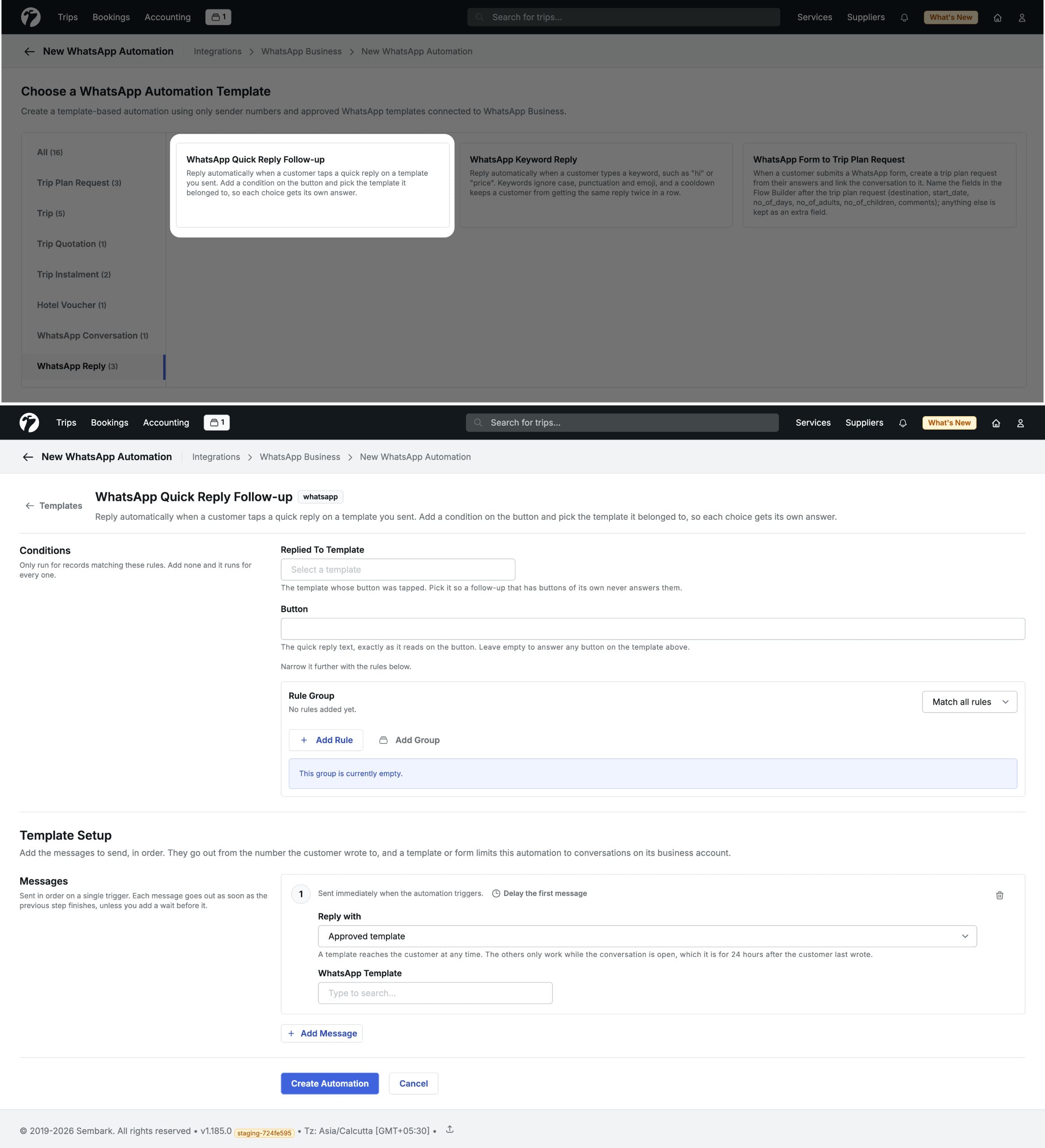
We have added a new automated follow-up reply template . This allows you to configure what happens automatically when a customer taps a specific reply button — ensuring every button choice receives a relevant, personalised response without any manual action from your team.
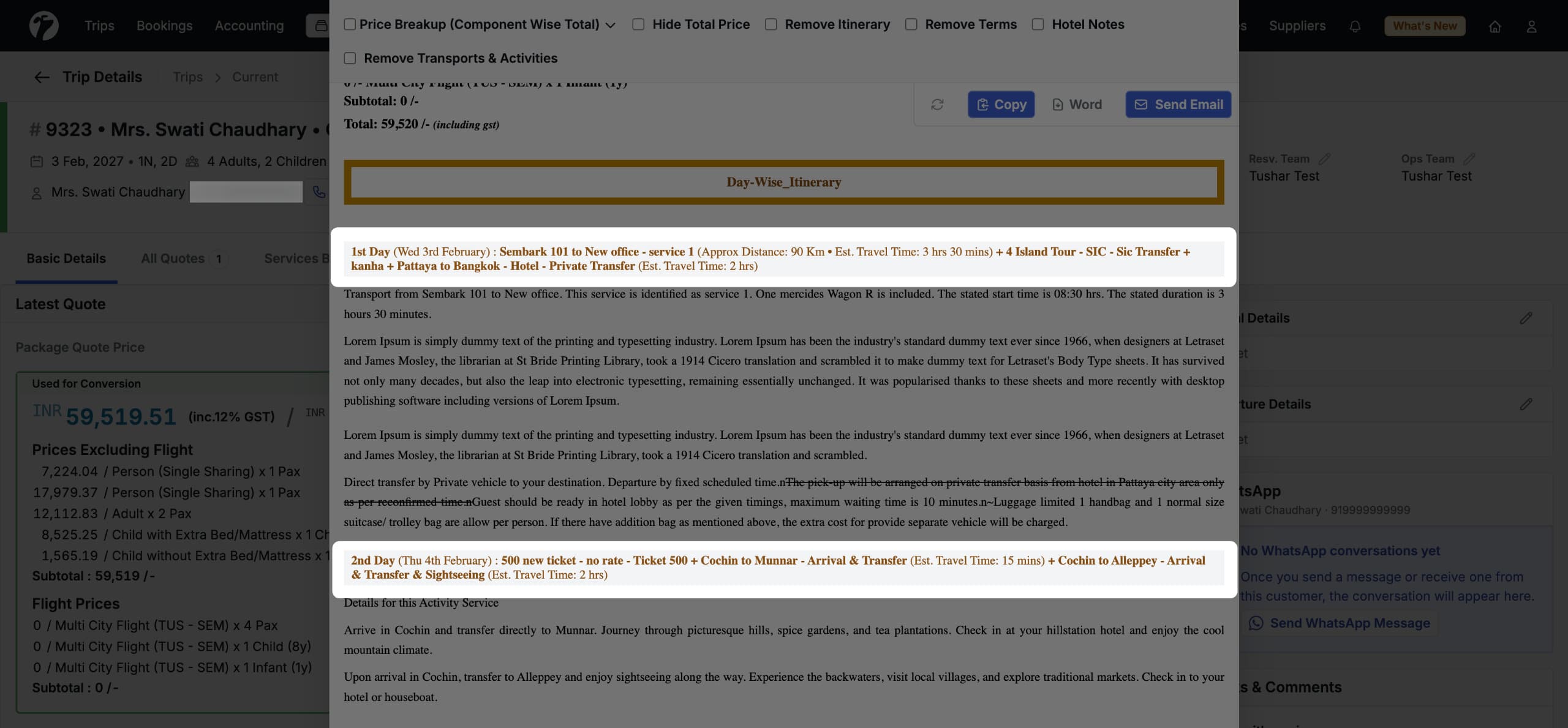
3. Compact Itinerary — Same-Day Title Merge
We have introduced a cleaner way to display same-day services in the itinerary. When multiple services scheduled on the same day are now grouped and shown under a single unified heading instead of repeating the same title multiple times.
Other Improvements
- Trip Voucher — Section Hide in Templates: A new section hide option has been added to the email and voucher template settings. You can now hide specific sections from a trip voucher or email template without removing the underlying data, giving you control over what appears on customer-facing documents per template.
- Lead Assignment Notifications: Notifications are now sent when a trip is assigned to a sales person or an operations/reservations person. The relevant team member receives a notification at the point of assignment, ensuring no lead or trip goes unnoticed after being allocated.