







Once visa services are configured, you can include them in any trip quote alongside hotels, transport and activities.
Add a Visa to a Quote
- While creating a new query, go to the Visa Details section.
- Click Add Visa.
- Select the required Country.
- Choose from the visa services configured for that country.
- Select the appropriate visa service and visa type.
- Review the applicable rates and other visa details.
- Save the quote.
TODO: Add image for adding a visa to a quote
The visa service is now part of the quote. See Create Quote for the rest of the quote workflow.
Share Visa Details with the Customer
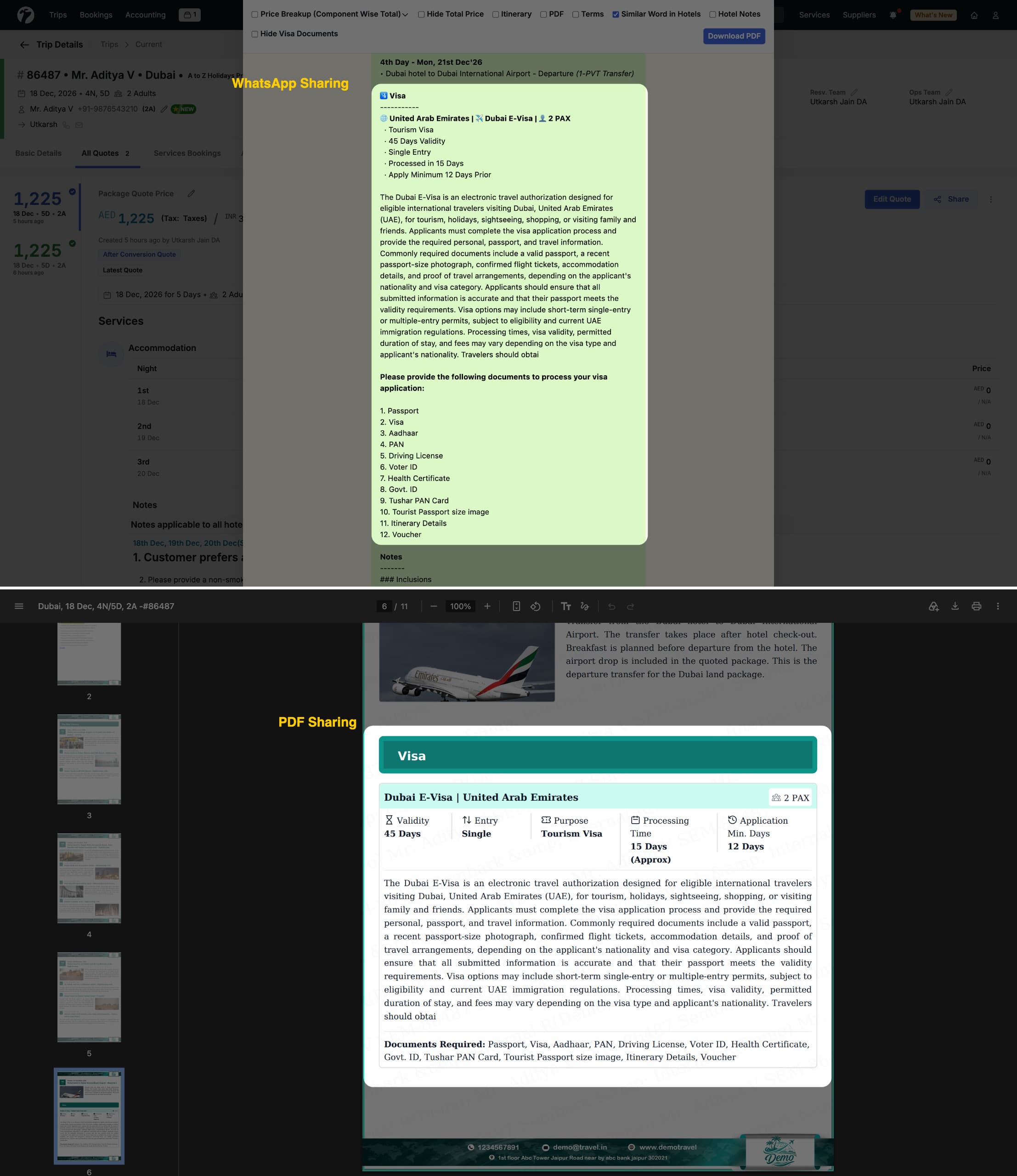
When a quote includes a visa service, the visa-sharing option becomes available in the quote’s Share menu. You can share the quote together with the list of mandatory documents required for the selected visa type. The customer sees exactly which documents to arrange, straight from the quote and without a separate message. See Share Quote for all sharing options.
Once the customer confirms, convert the quote into a trip and manage the visa from Visa Bookings.