







A visa service holds everything you need to sell a visa for a country: its destination, currency, required documents and one or more visa types. Once set up, it can be added to any quote. See Visa Services for the complete workflow.
Create a Visa Service
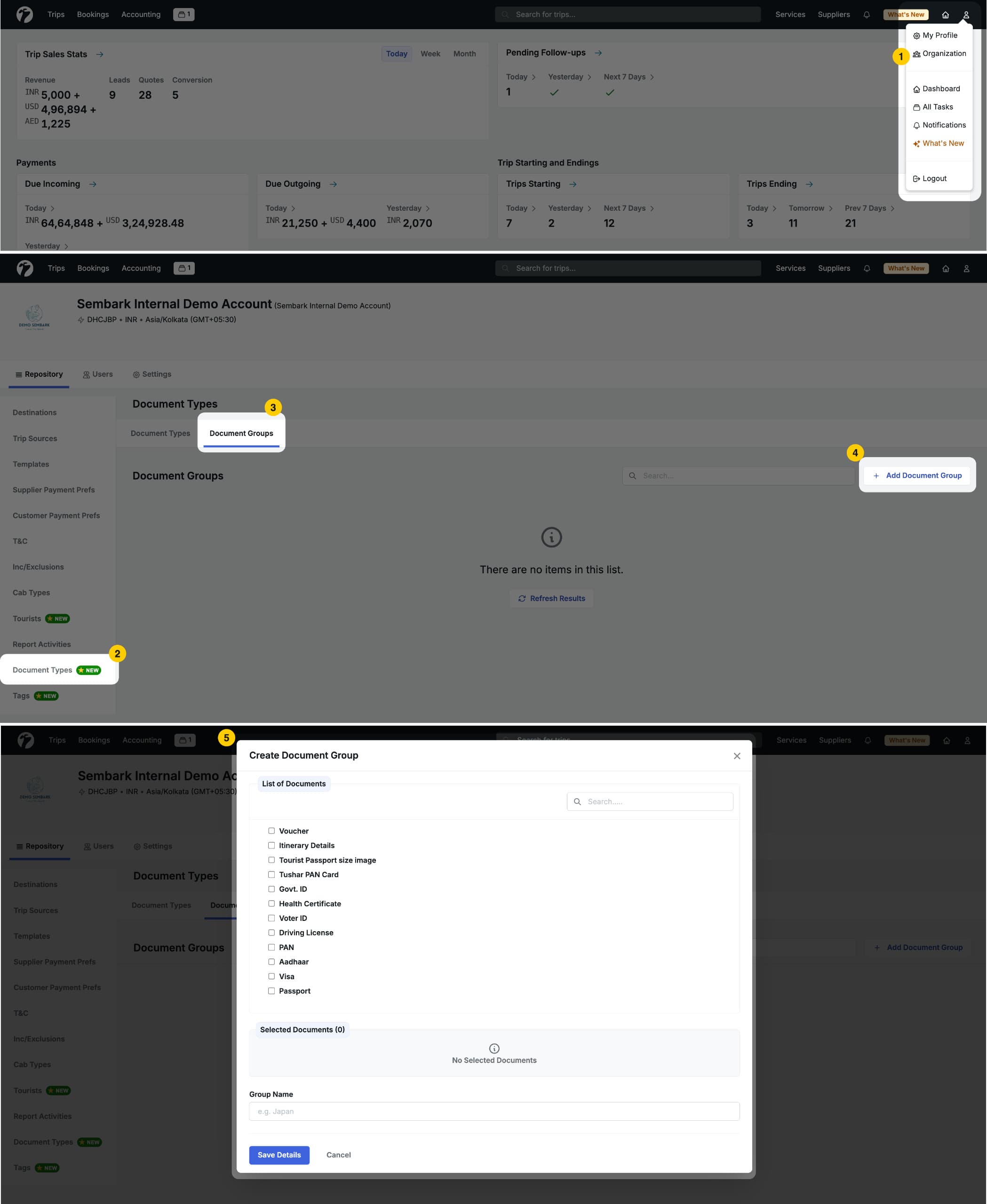
Go to Services > Visa in the navigation bar. The page lists all your existing visa services.
-
Click New Visa.
-
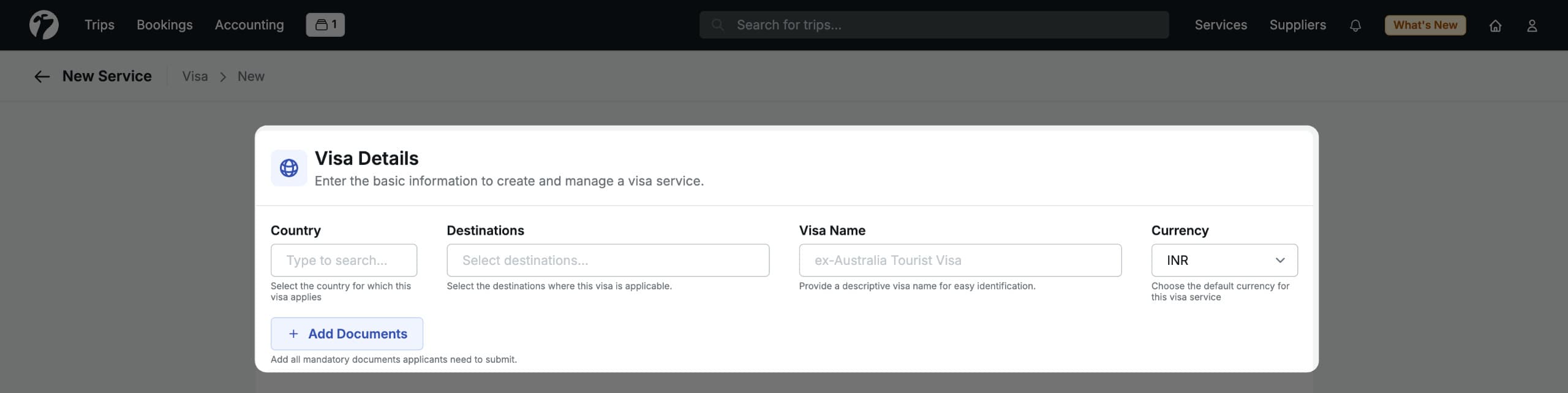
Under Visa Details, fill in:
- Country — the country for which the visa is applicable.
- Destination — the destination where the visa is used.
- Visa Name — a descriptive name that makes the visa easy to identify across Sembark.
- Currency — the default currency for this visa service.
Required Documents
At the service level, define which documents applicants must submit. You have two options:
- Document Group — pick a predefined group created under Profile > Organisation > Document Types. For example, a group called “Schengen Visa Documents” can bundle the passport, photo and bank statements.
- Custom Document — pick individual documents when no existing group covers the exact requirement.
Configure Visa Types
A single visa service can have many visa types. For example, a UAE visa service might include a 30-day single entry, a 60-day multiple entry and a transit visa, each with different pricing and processing details. Add as many visa types as you need under one visa service.
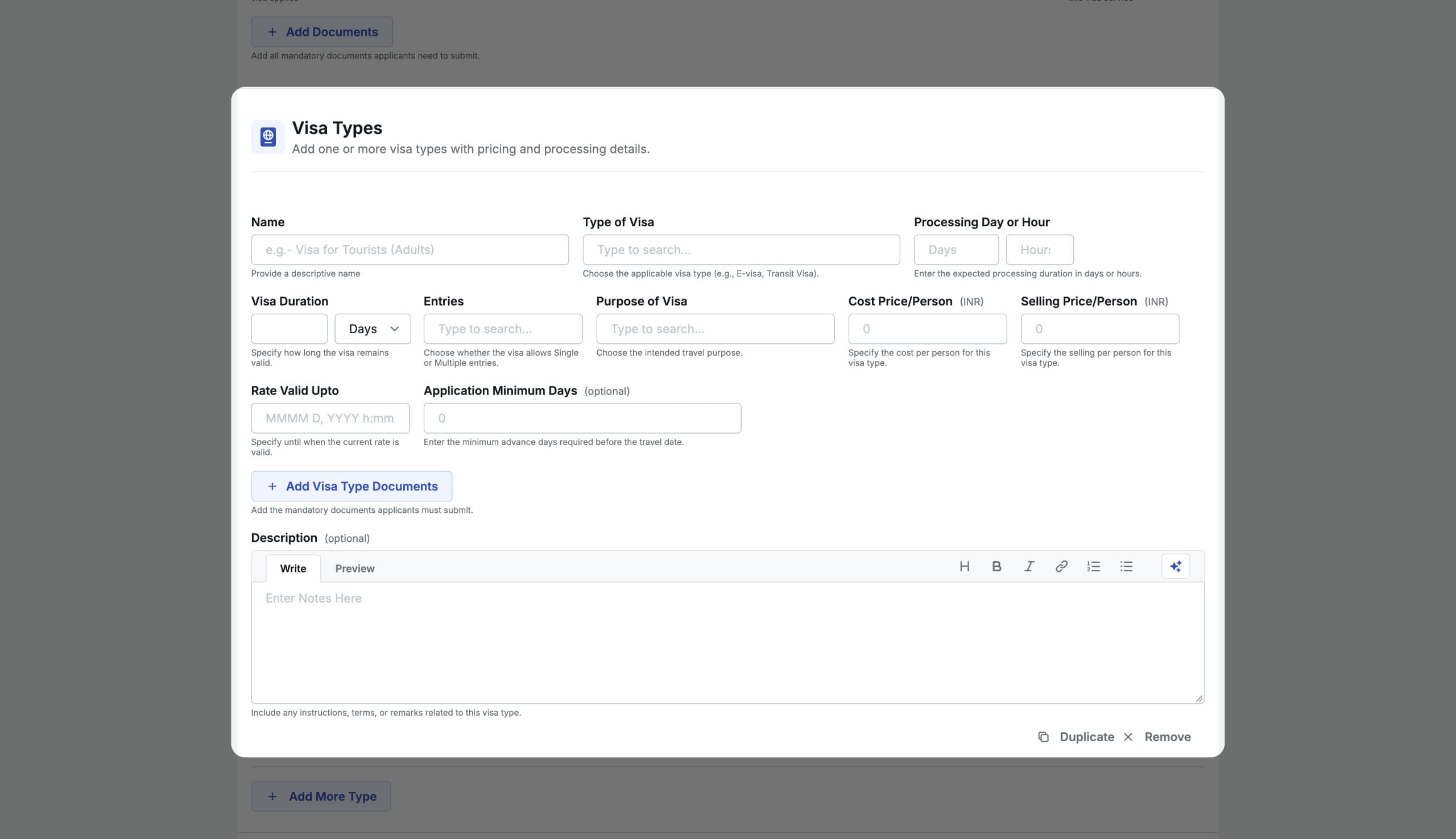
For each visa type, configure:
- Visa Type Name — a descriptive name to identify this type, e.g. 30-Day Single Entry.
- Type of Visa — e-Visa, Sticker Visa, Transit Visa, Single-Entry Visa or Visa on Arrival.
- Processing Time — the expected processing duration, in days or hours.
- Visa Duration — how long the visa remains valid after it is issued.
- Type of Entries — single, double or multiple.
- Purpose of Visa — the intended purpose of travel, e.g. tourism or business.
- Cost Price per Person — the cost you incur per applicant.
- Selling Price per Person — the price charged to the customer per applicant.
- Valid Up To — the date until which this visa type’s pricing and conditions apply.
- Application Minimum Days — the minimum number of days before the travel date by which the application must be submitted.
- Visa Type Documents — the specific documents required for this visa type.
- Description — instructions, terms, conditions or remarks relevant to this visa type.